












Rwanda eSIM | Fast and Seamless Internet in the Land of a Thousand Hills
From the bustling streets of Kigali to the tranquil shores of Lake Kivu and the majestic peaks of Volcanoes National Park, a reliable mobile internet connection is essential for every traveler.
Skip the long queues at border crossings or airports, avoid passport copies, and stay connected with a fully digital solution. Enjoy eSIM delivers instant, passport‑free activation that works the moment you arrive in Rwanda. With over 100,000 global travelers using our infrastructure, you can connect to high‑speed internet across the country.
Quick Overview of Rwanda eSIM
- Nationwide coverage with MTN, Airtel, Liquid, and Tigo networks offering 4G LTE and 5G in major cities.
- No waiting at airports or shops – purchase online and receive instant digital delivery.
- Data‑centric solution that keeps your WhatsApp, bank apps, and existing number active.
- 24/7 English support and transparent pricing with no surprise bills.
Rwanda eSIM Technical Features and Network Coverage
Rwanda boasts a modern mobile infrastructure, especially in tourist hotspots. Enjoy eSIM partners with the leading operators to provide extensive coverage from Kigali to remote mountain villages.
Our service typically uses MTN and Airtel networks, with 4G LTE available in Kigali, Musanze, and Lake Kivu, and 5G in select urban areas. In rural regions such as the Nyungwe Forest, coverage remains reliable, though signal strength may vary in remote corners.
Key Technical Advantages
- Fast Infrastructure: High‑speed data for social media, video calls, and navigation.
- Wide Coverage: Reliable connection from city centers to lakeside towns and national parks.
- Hotspot Support: Share your internet with tablets or friends easily.
- Zero Bureaucracy: Instant activation without passport registration or local shop visits.
- Secure Access: Avoid public Wi‑Fi risks by using encrypted mobile networks.
Pre‑Purchase Checklist
- Device Compatibility: Verify your phone supports eSIM on the eSIM compatible devices page.
- Unlocked Phone: Ensure your device is unlocked and can use foreign operators.
- Setup Timing: Install before traveling or while in a Wi‑Fi zone for the best experience.
- Package Selection: Choose the GB amount that matches your planned usage of local services like Booking, Waze, or streaming.
How to Set Up Your Rwanda eSIM (Step‑by‑Step Guide)
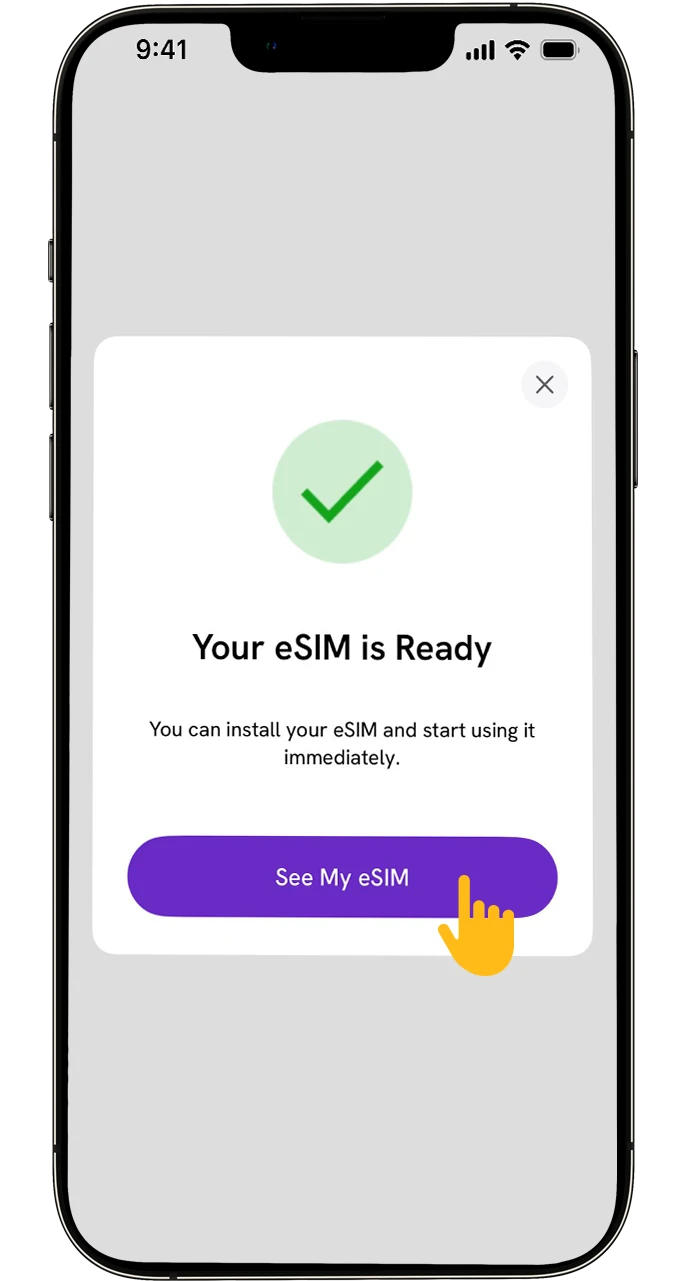
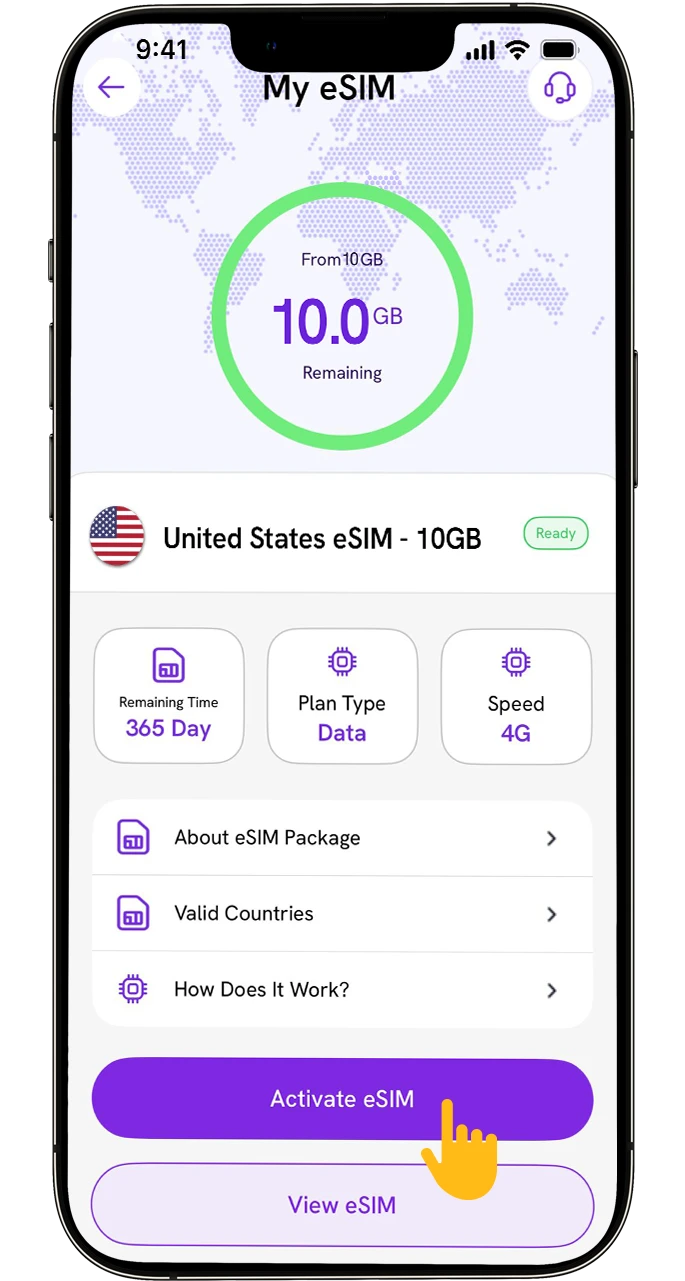
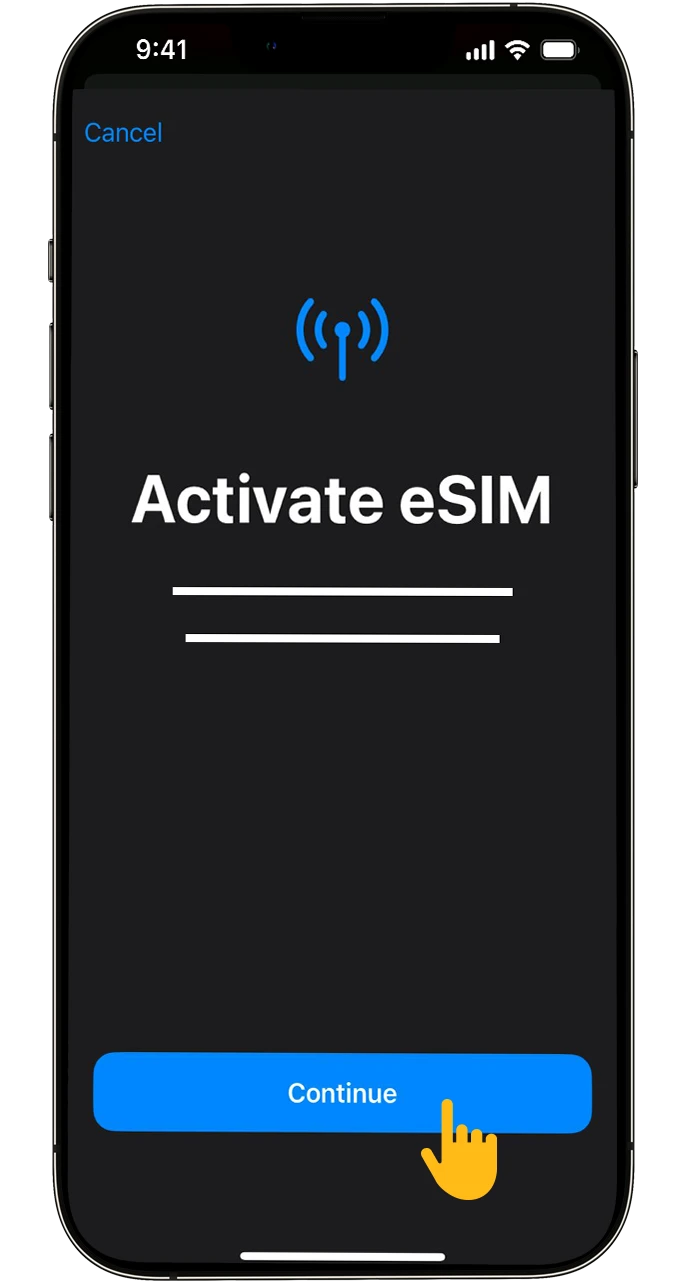
The Rwanda eSIM installation is fully digital and completes in a few minutes.
Method 1: QR Code Setup (Recommended)
- Purchase the Package: Rwanda eSIM page to choose a plan that fits your travel.
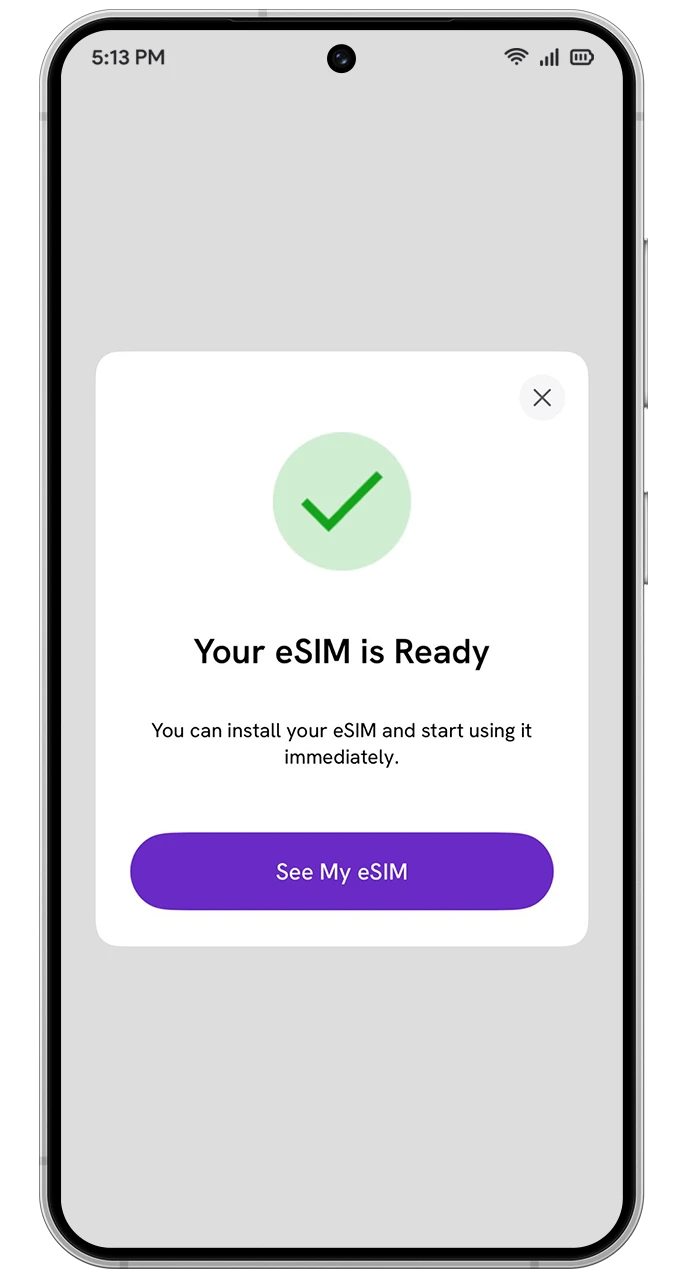
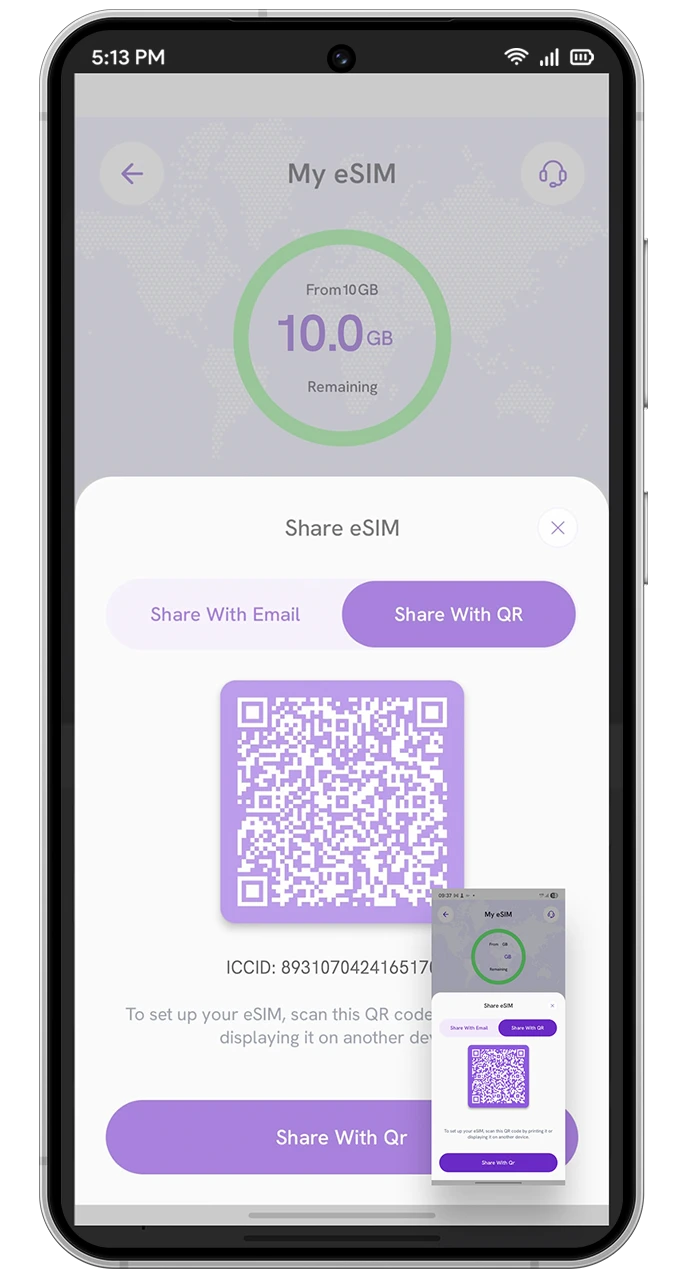
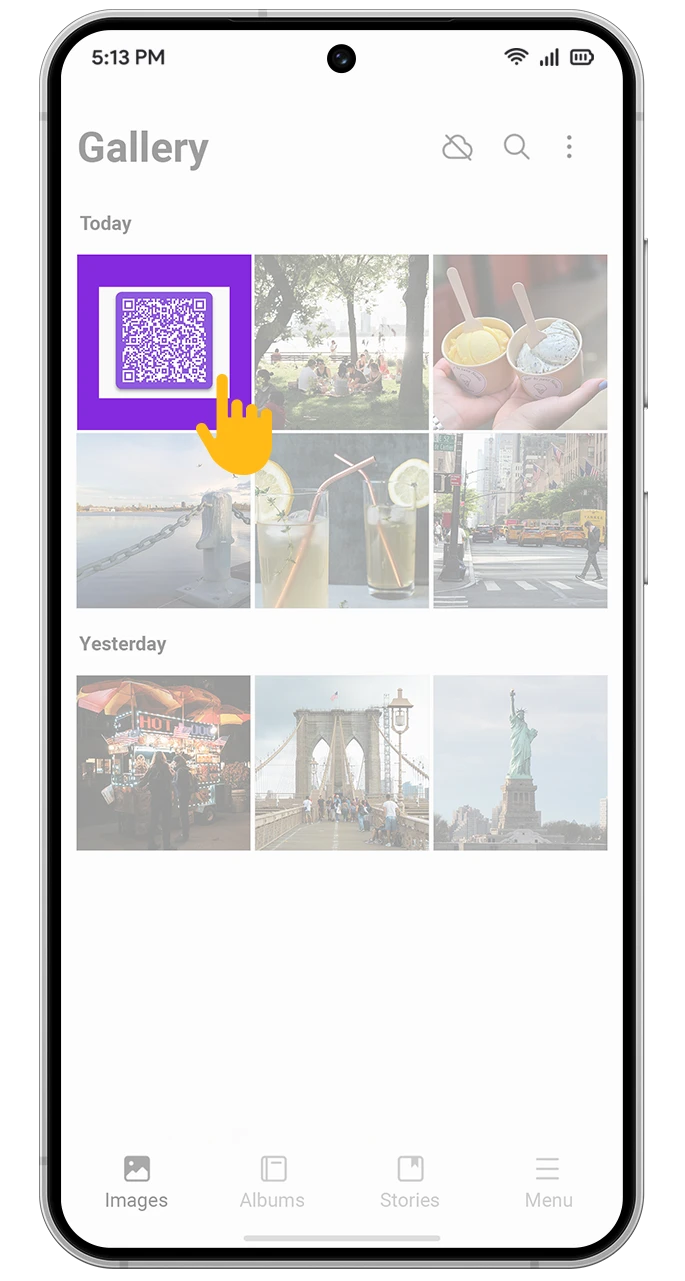
- View the QR Code: An instant QR code is emailed to you.
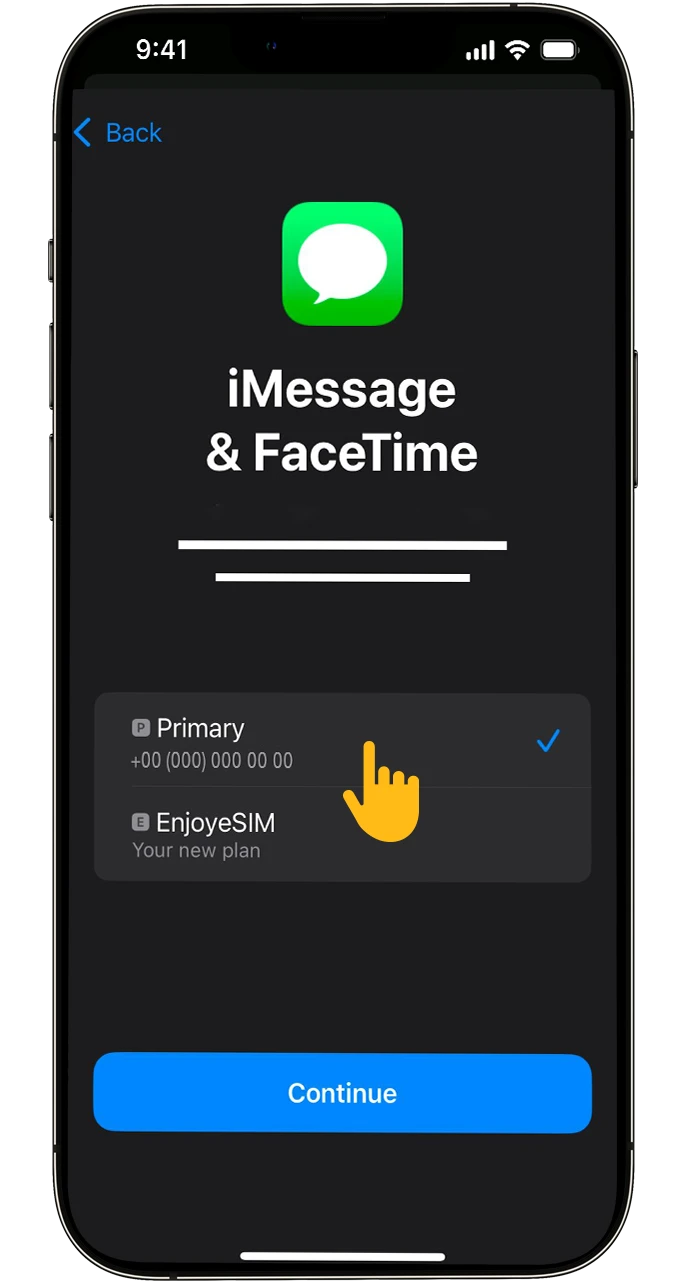
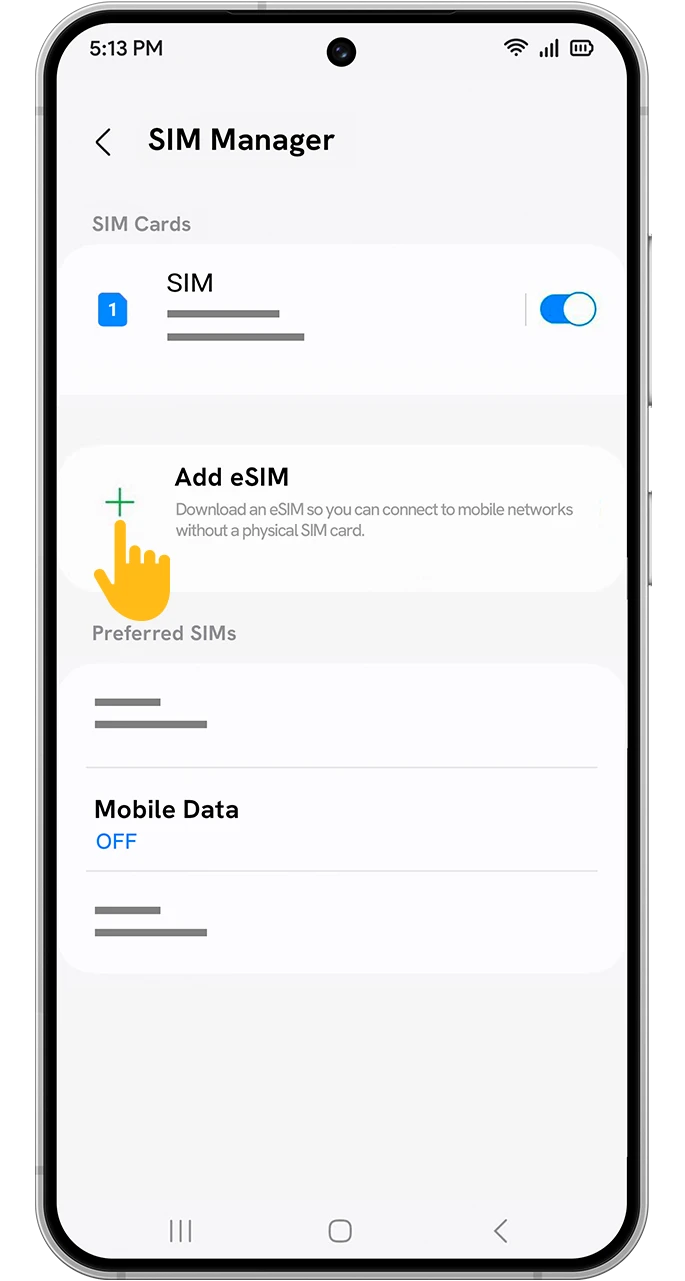
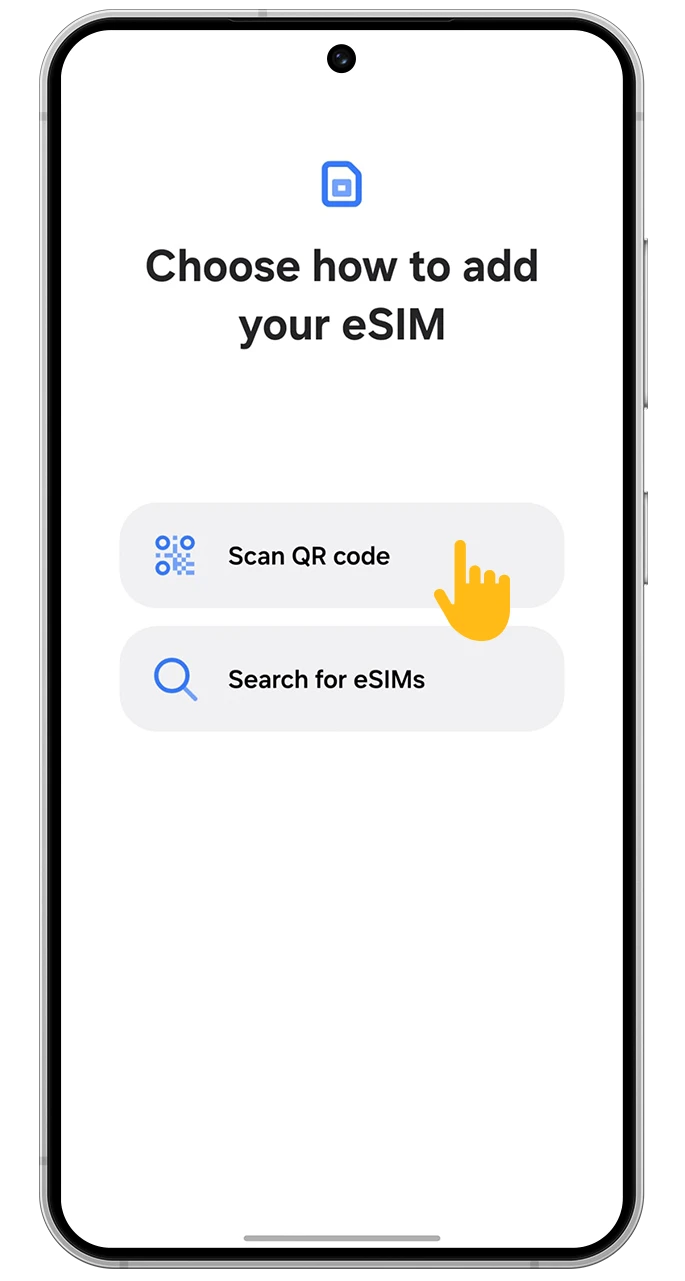
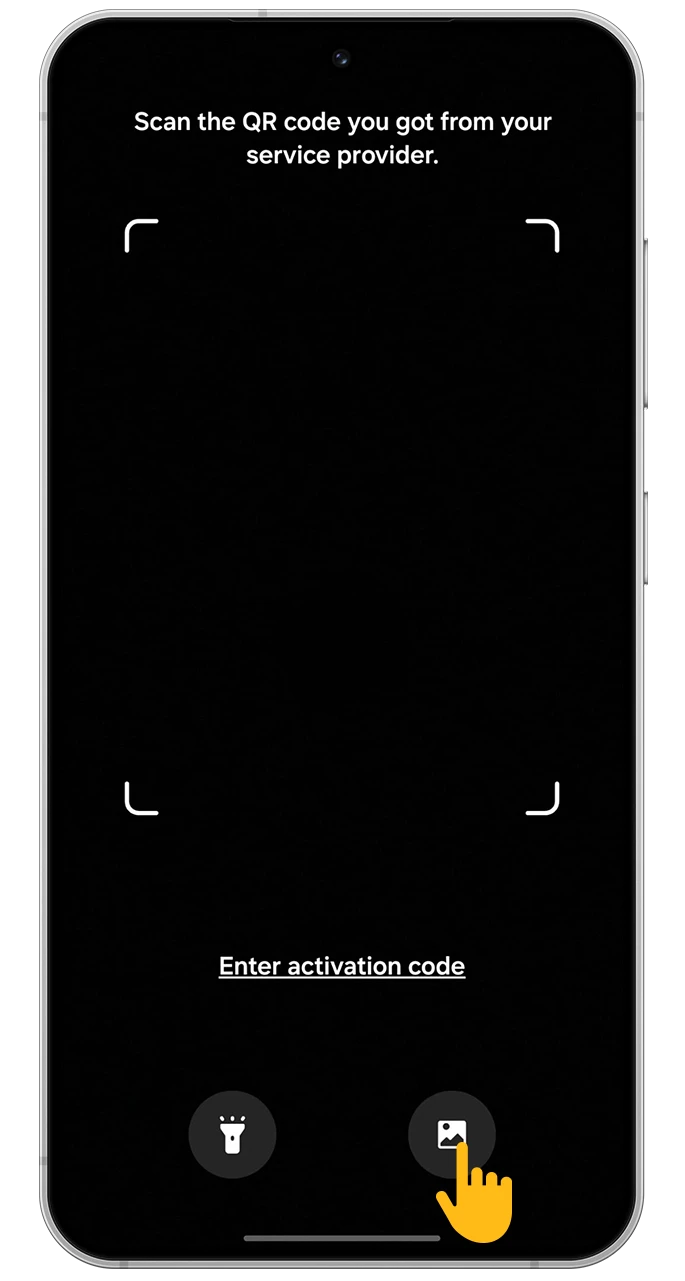
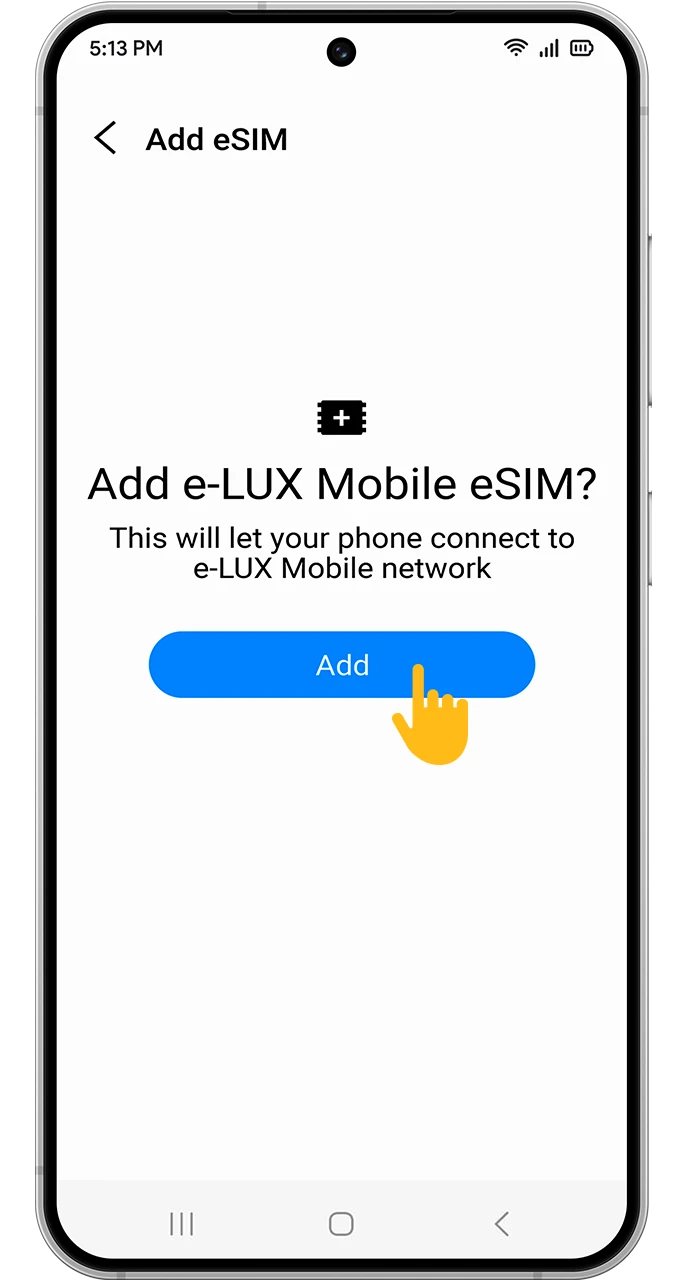
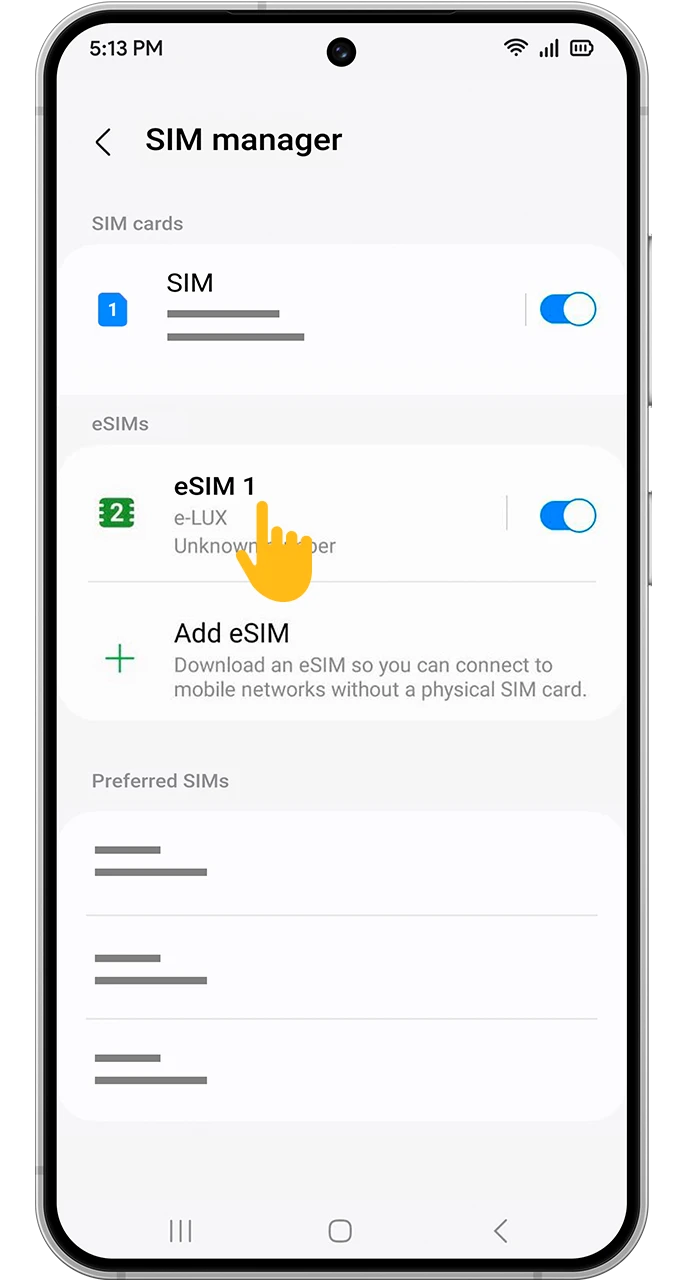
- Install: In your phone’s “Mobile Data” or “Cellular” settings, select “Add eSIM” and scan the code.
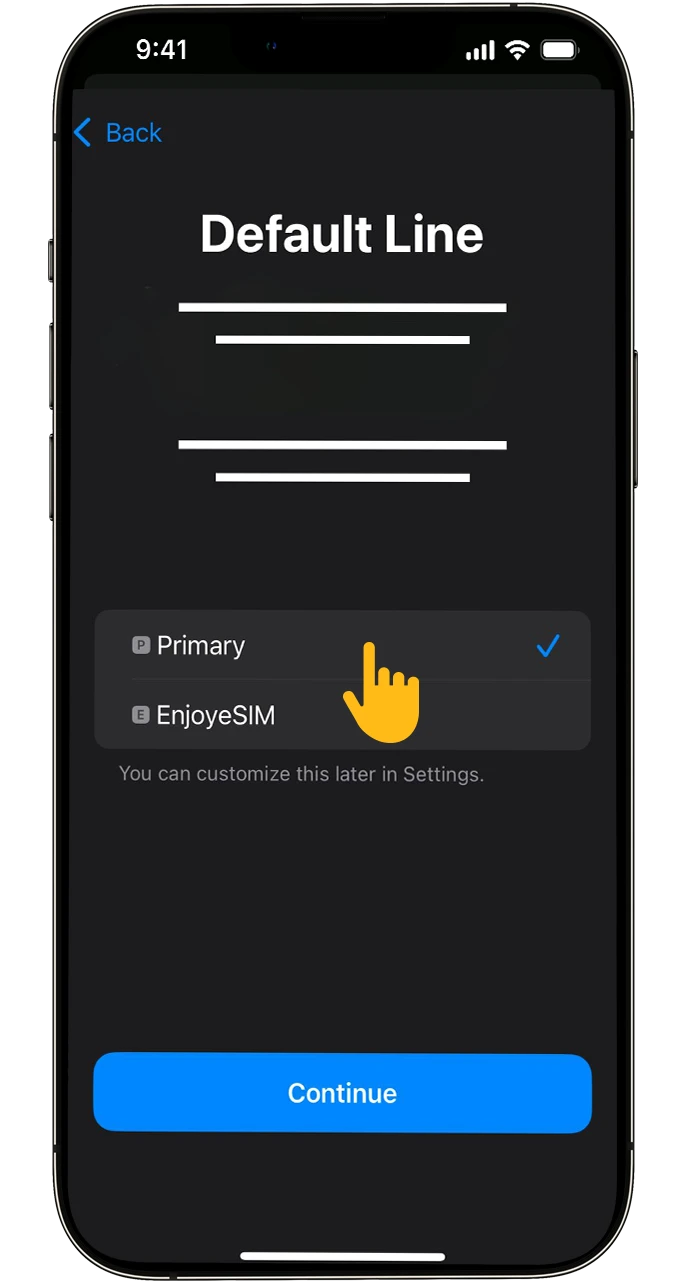
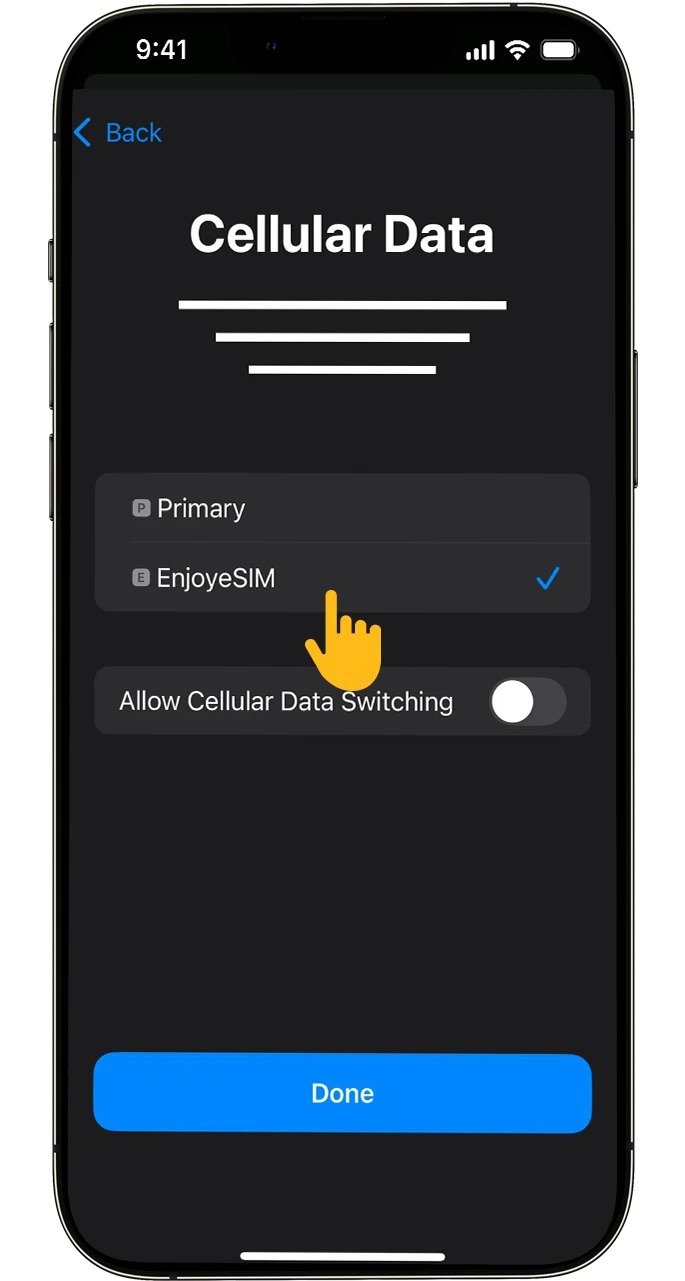
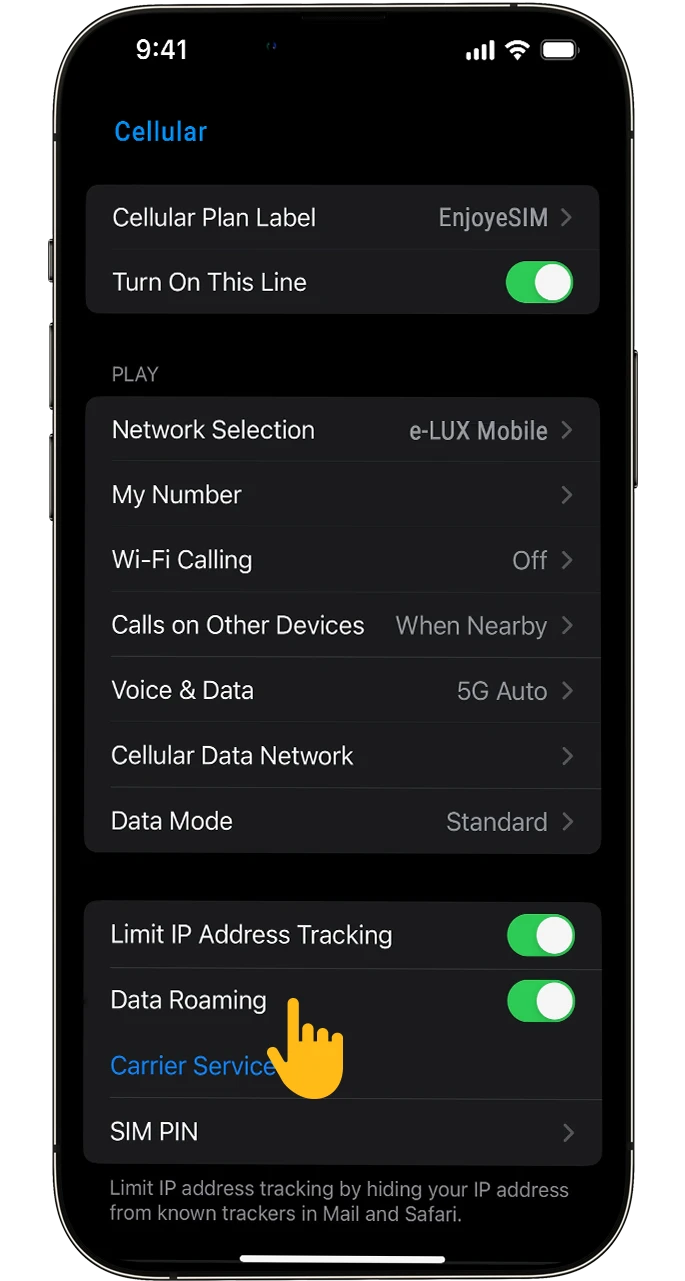
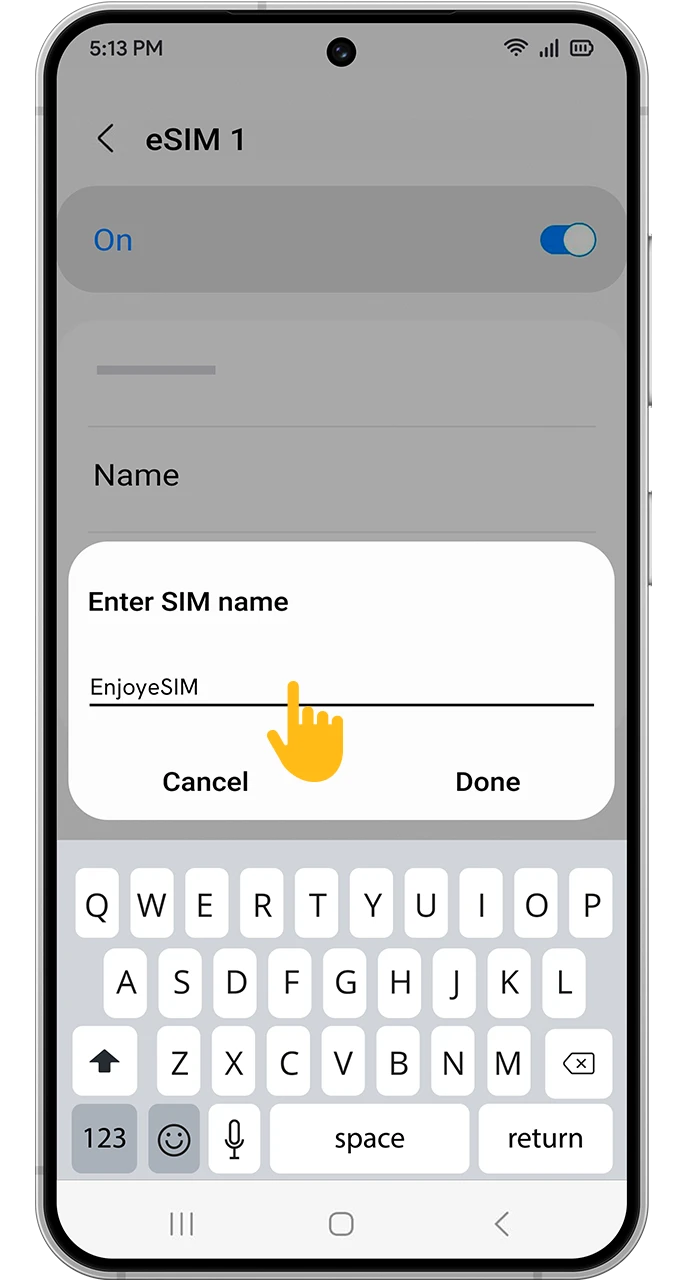
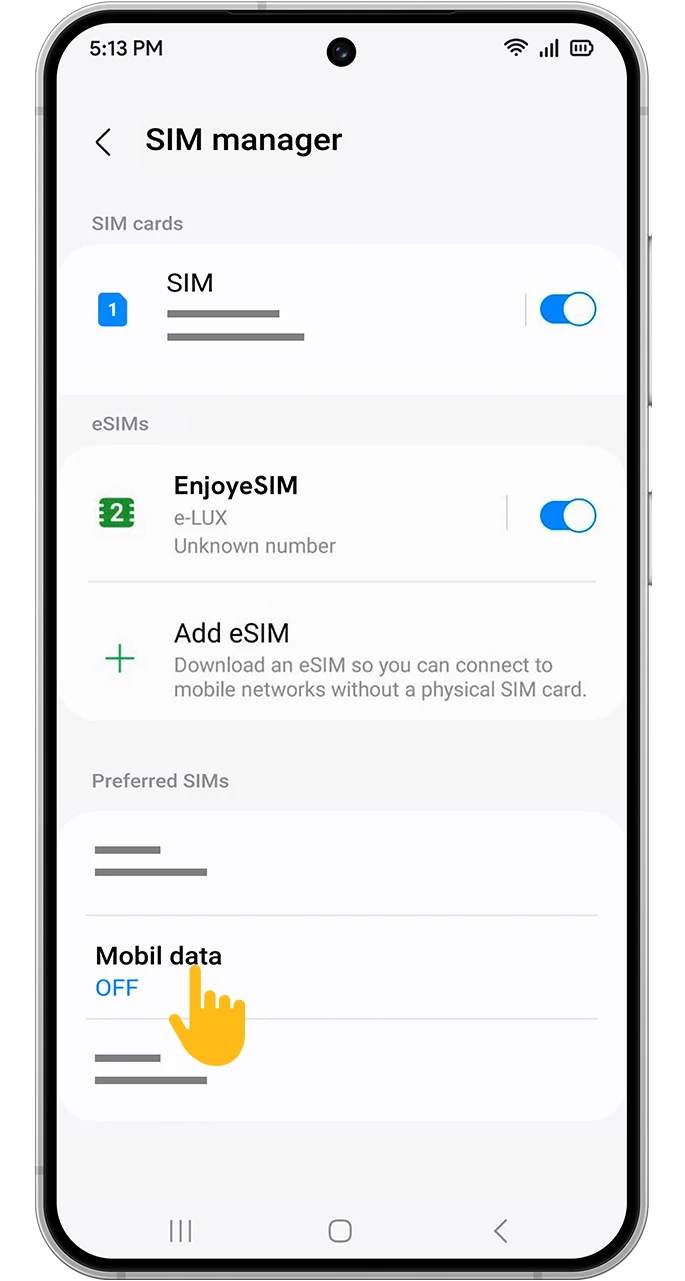
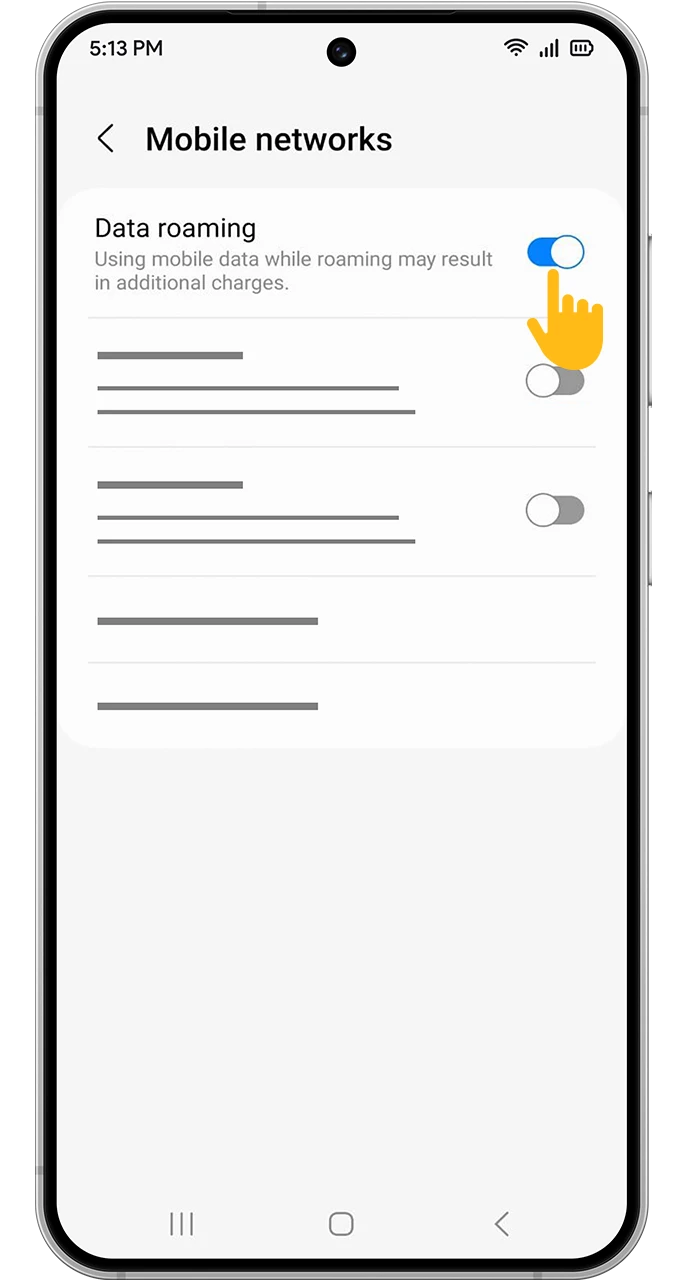
- Activate the Line: Upon arrival in Rwanda, enable data roaming on the eSIM and set it as the default data line.
Method 2: Manual Setup
If you cannot scan the QR code, enter the SM‑DP+ address and activation code from the email into your eSIM settings manually.
Who is the Rwanda eSIM Ideal For?
- Weekend Explorers: Those heading to Kigali or Lake Kivu for a short stay who want to skip the SIM purchase hassle.
- Backpackers: Travelers covering the country from the capital to the volcanoes, needing constant map and transport apps.
- Adventure Enthusiasts: Visitors to Volcanoes National Park who want real‑time weather and route updates.
- Nature Lovers: Those trekking in Nyungwe Forest and needing reliable connectivity for safety and photos.
Why Choose Enjoy eSIM for Your Rwanda Trip?
- Cost‑Effective: Pay only for the data you use, not for high roaming fees.
- Instant Access: Connect as soon as you cross the border, no need for Wi‑Fi hunting.
- Security & Privacy: No passport or physical SIM needed.
- 24/7 English Support: Fast solutions in your language when you encounter issues.
Make Your Rwandan Trip Smarter with Internet
- Travel: Use Google Maps for navigation through Kigali streets or mountain trails.
- Navigation: Plan routes with Waze or Google Maps for real‑time traffic.
- Dining: Find the best local restaurants and coffee spots via online reviews.
- Communication: Video‑call family back home with high quality over WhatsApp.
Must‑Have Apps for Rwanda Travel
Use these apps with your Enjoy eSIM to enhance your experience:
- Google Maps: For navigation and public transport.
- Waze: Real‑time traffic updates.
- Booking / Airbnb: Find accommodations quickly.
- Yandex Translate: Translate signs and menus on the go.
- TripAdvisor: Discover top attractions and reviews.
Frequently Asked Questions about Rwanda eSIM
Can I keep using my existing phone number?
Yes, as long as you do not remove the physical SIM, WhatsApp and bank verification SMS will continue to arrive on your original number while data is routed through the eSIM.Is there Wi‑Fi at Kigali International Airport?
Free Wi‑Fi is usually available but often slow and requires registration. With eSIM you get secure, fast internet instantly upon arrival.Is hotspot sharing allowed on the Rwanda eSIM?
Yes, compatible devices can share internet with other phones or laptops.What if my data runs out?
When your data quota expires, visit the Rwanda eSIM page to purchase a new package and renew your connection.Digitalize Your Rwanda Trip Today
Say goodbye to roaming fees and local SIM confusion. With Enjoy eSIM, enjoy high‑speed internet from Kigali to the lakes, in cities and mountains alike.
Instant Digital Delivery | 24/7 English Support | Affordable Packages
Explore Rwanda eSIM Packages