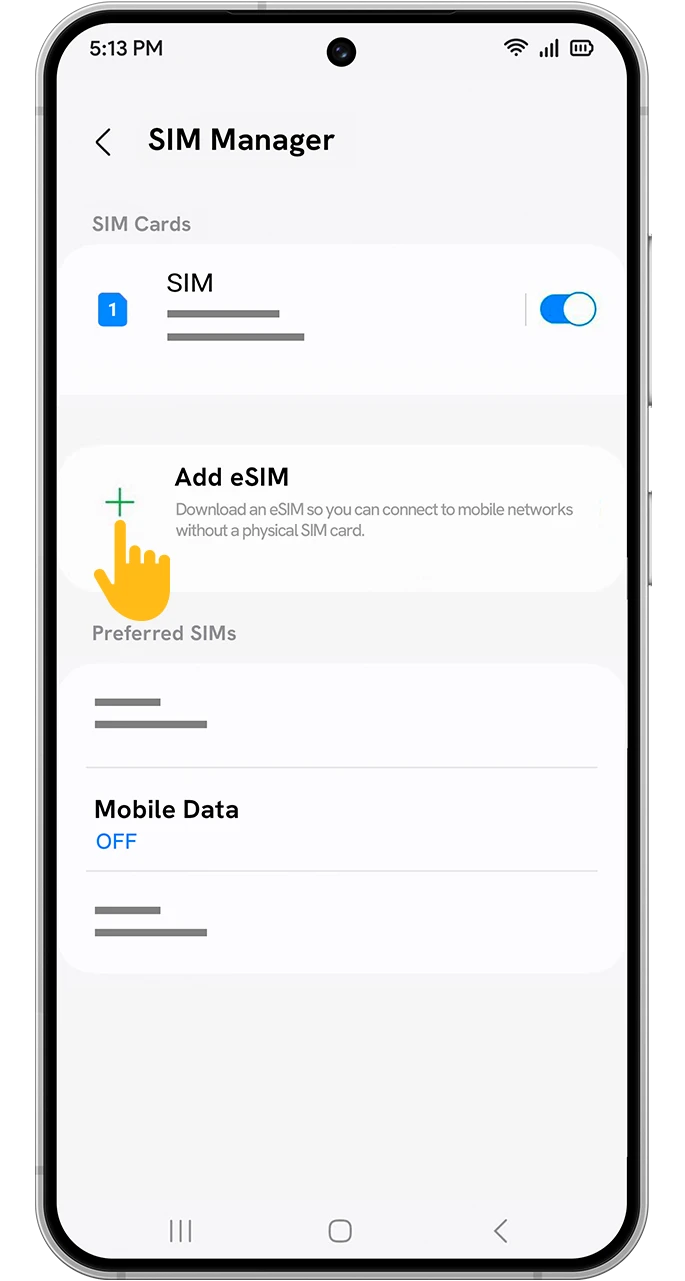
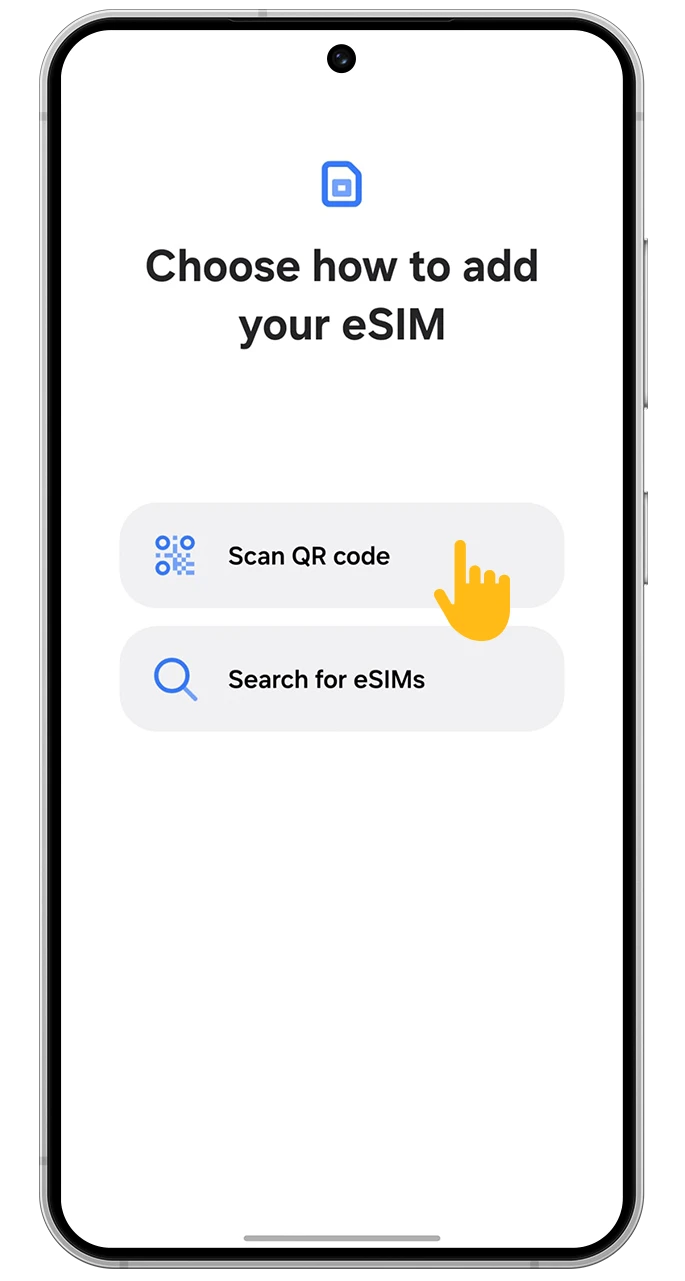
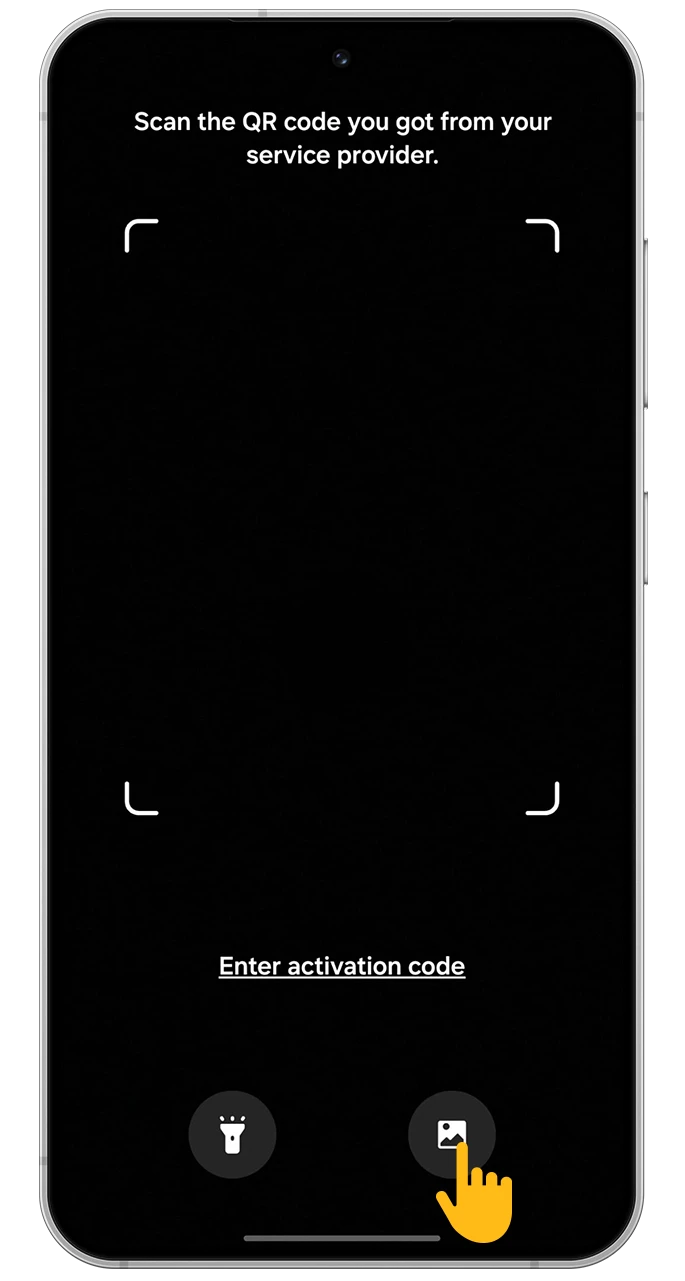
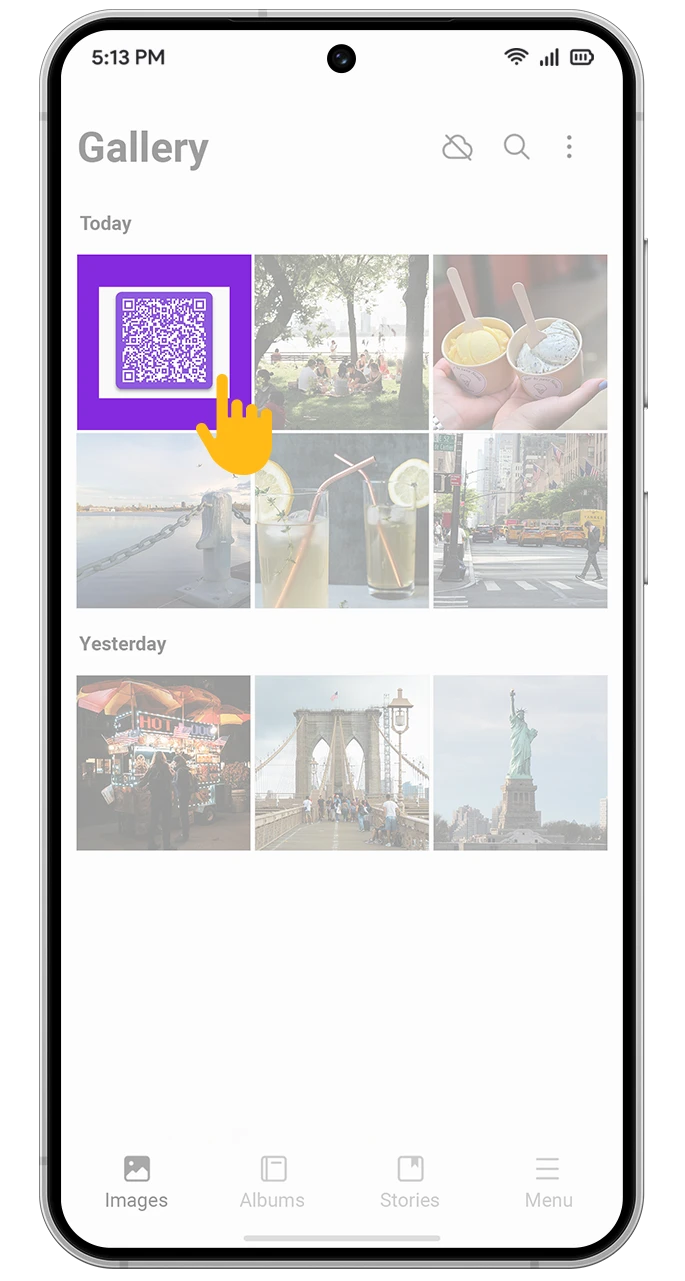
How Enjoy eSIM Works?

Enjoy seamless internet connectivity on every adventure with Enjoy eSIM, and forget about expensive roaming charges wherever you are.
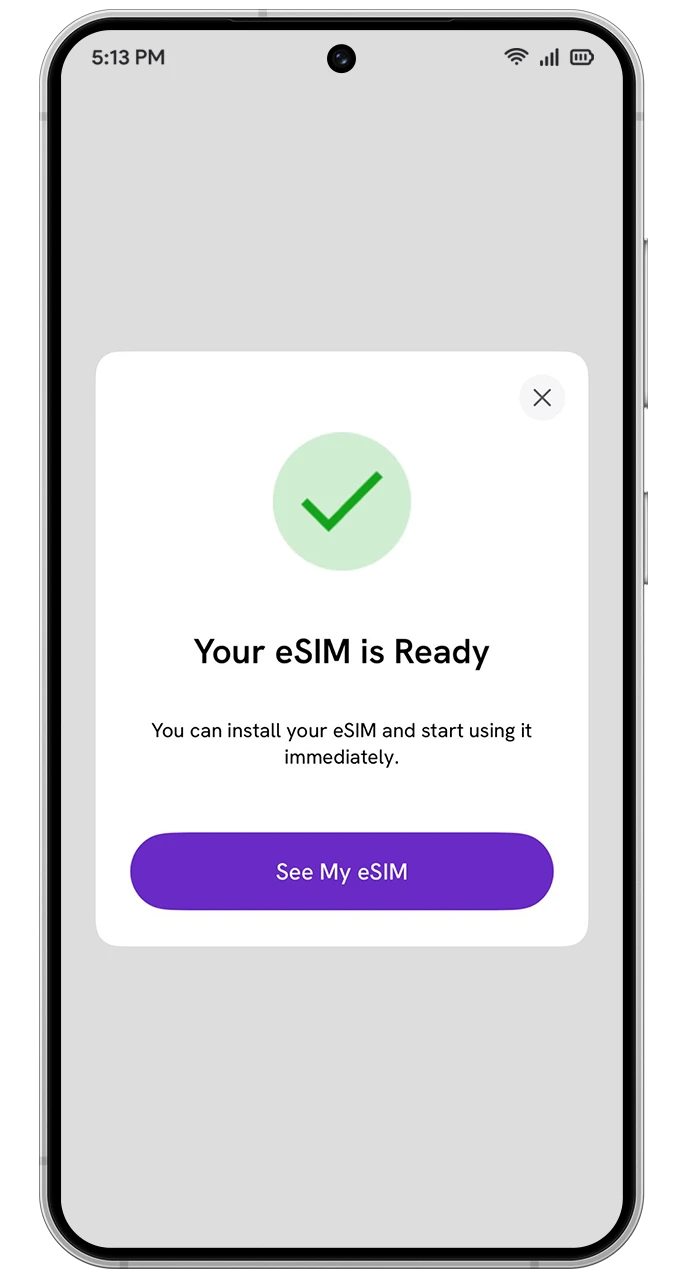
1
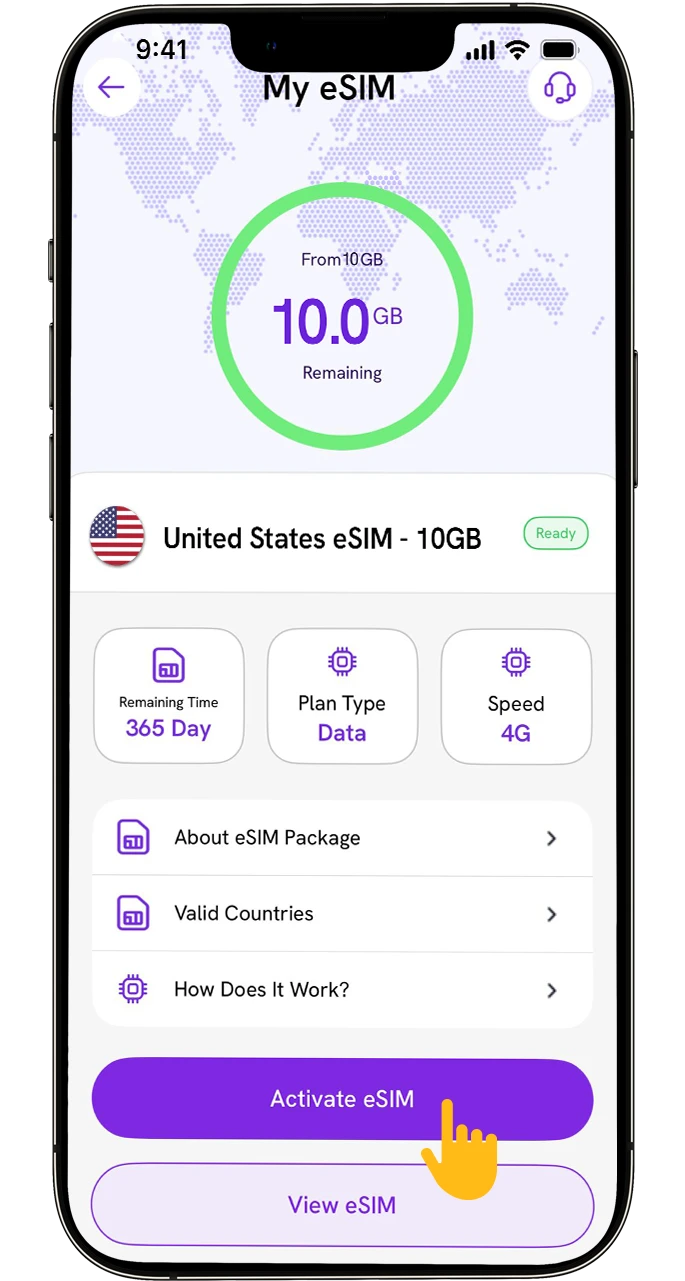
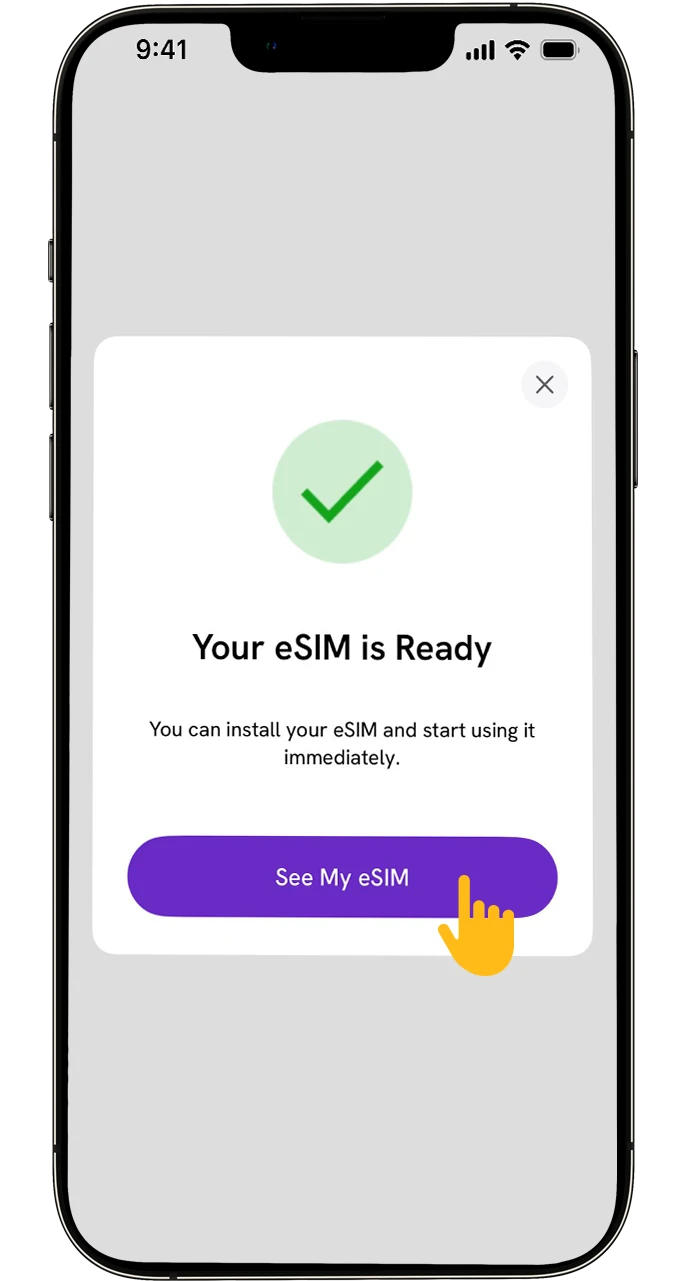
After Your Purchase, Tap “See My eSIM” on the Screen.
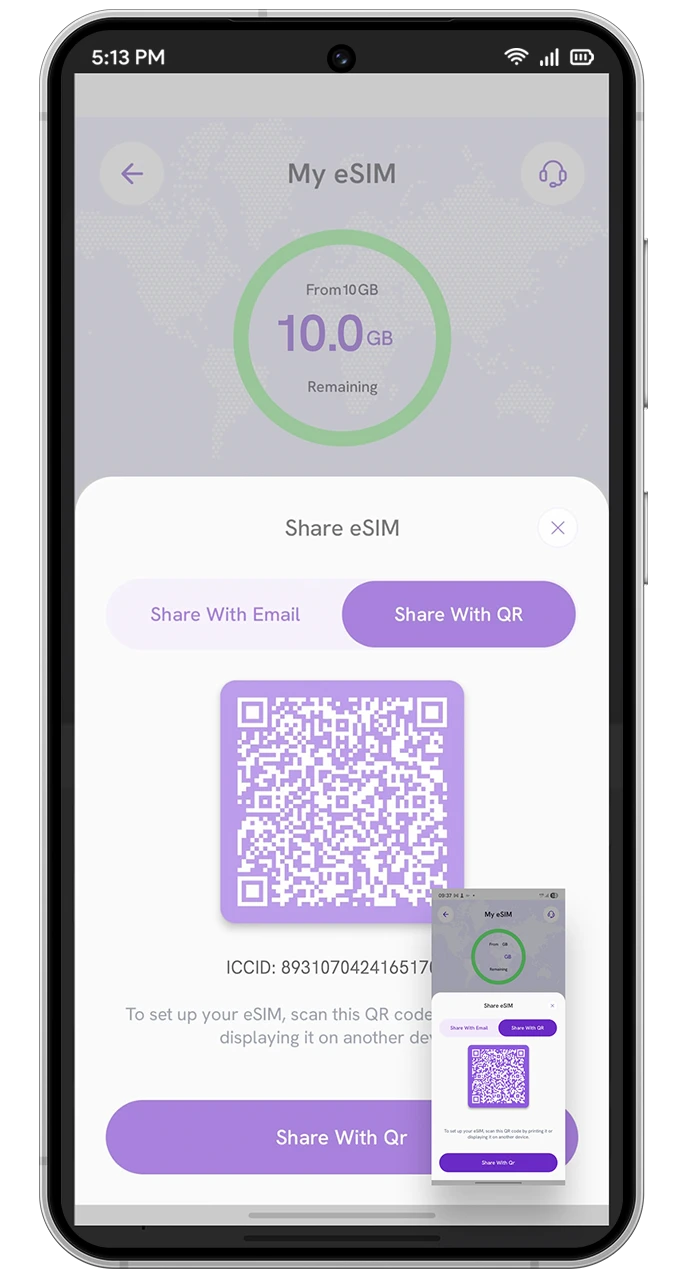
2
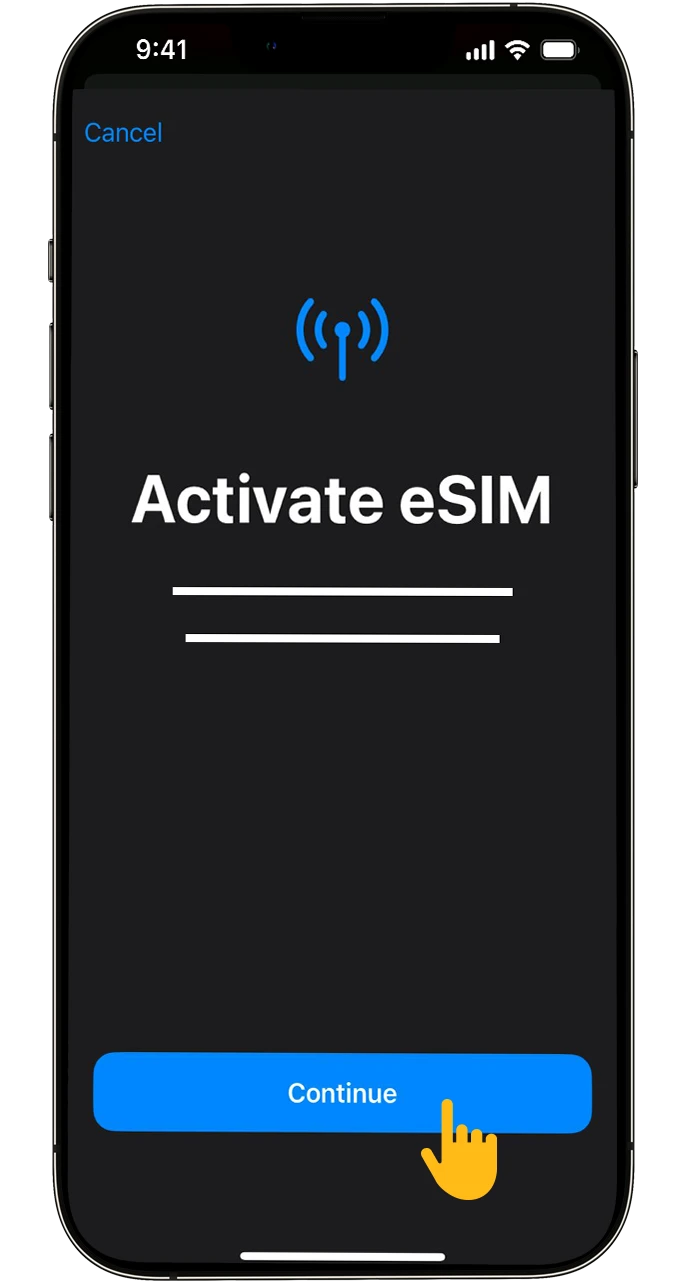
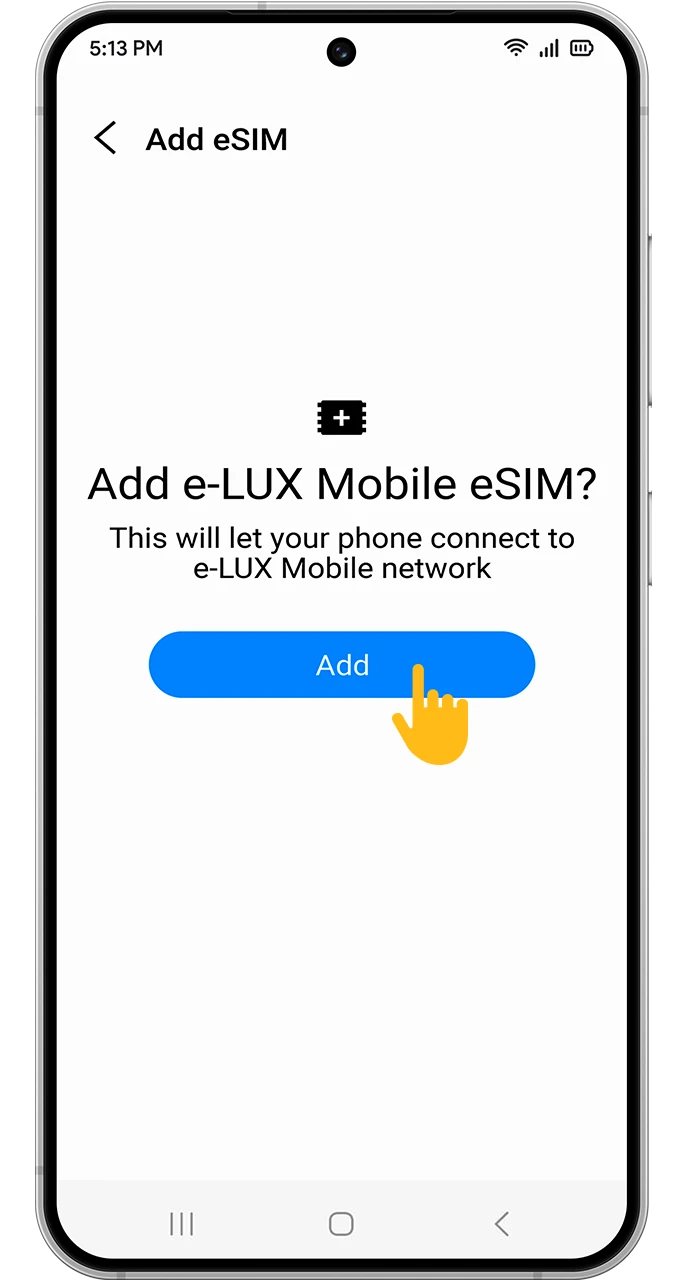
Tap “Activate eSIM” to Start the Installation Steps
3
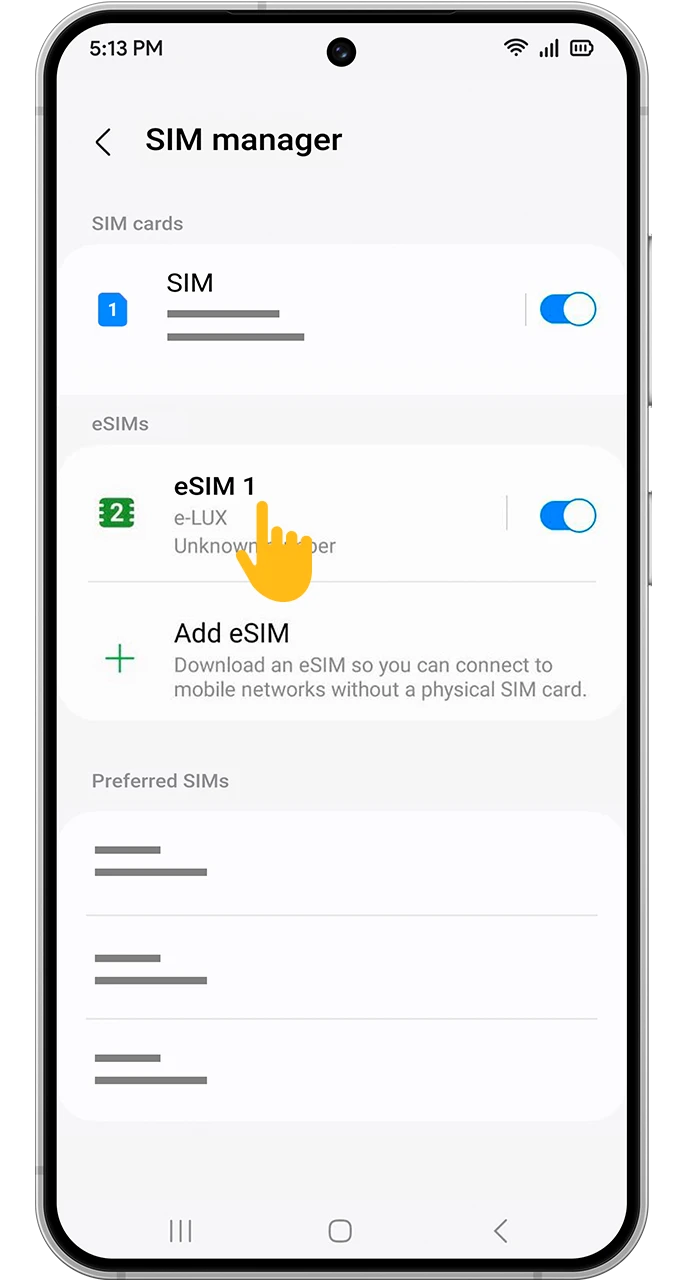
Complete the eSIM Installation Steps.
4
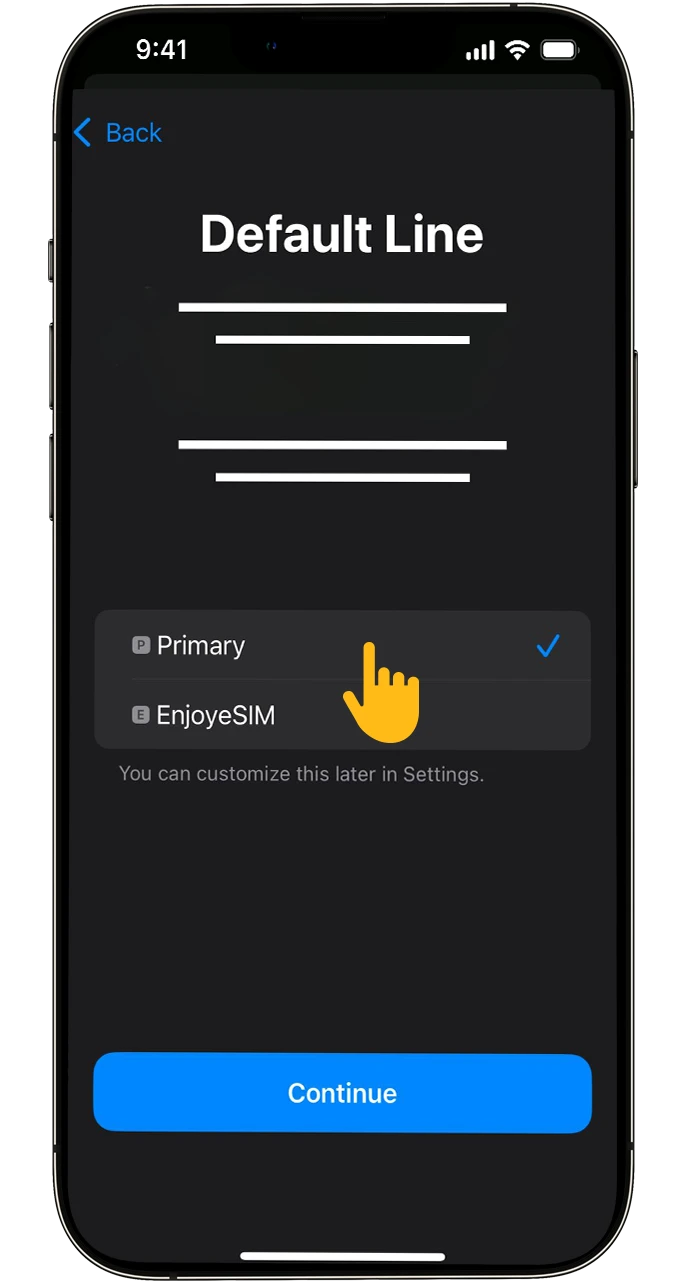
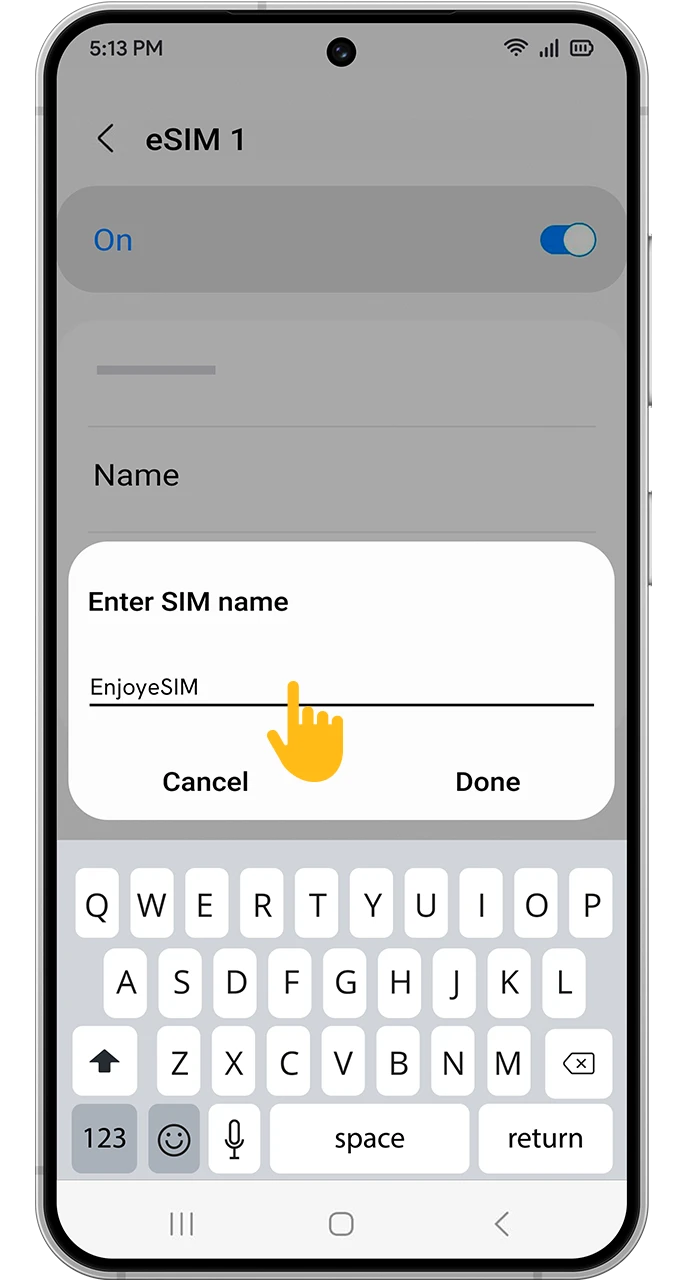
If You Wish, Tap On “Secondary” And Customize Your eSIM By Giving It a Name.
5
Select “Primary” And Proceed With The Setup
6
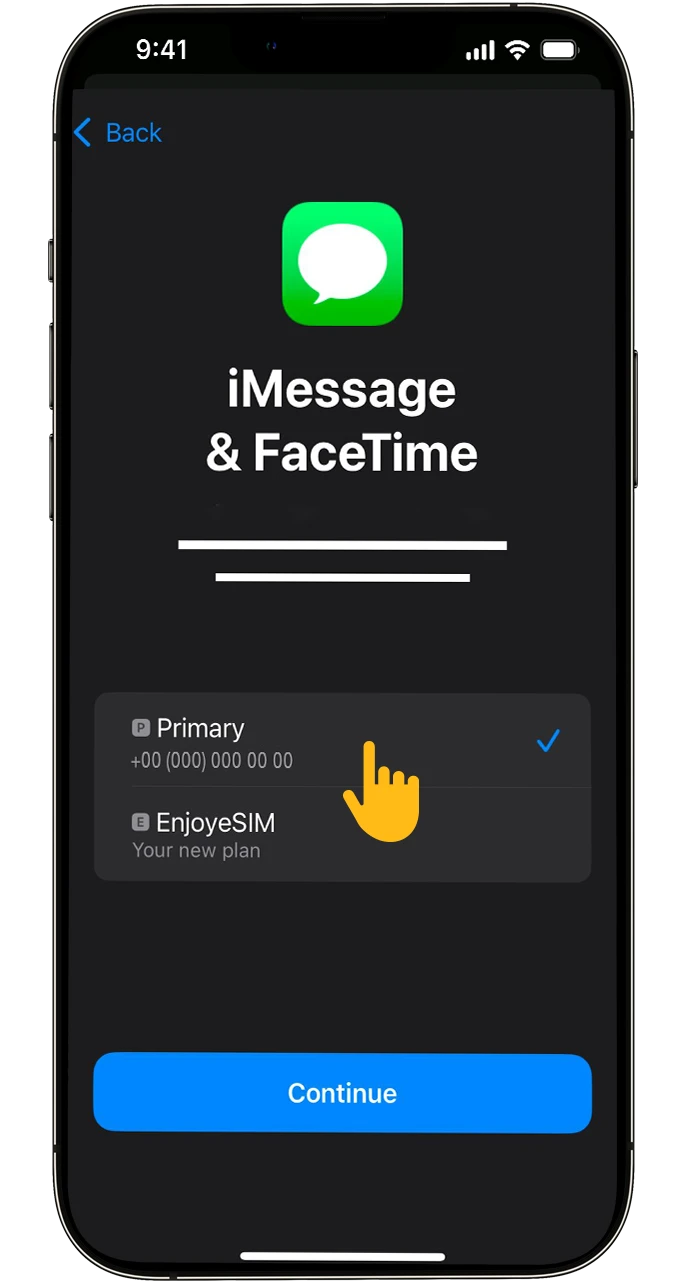
Select “Primary” For Messages And FaceTime, Then Continue.
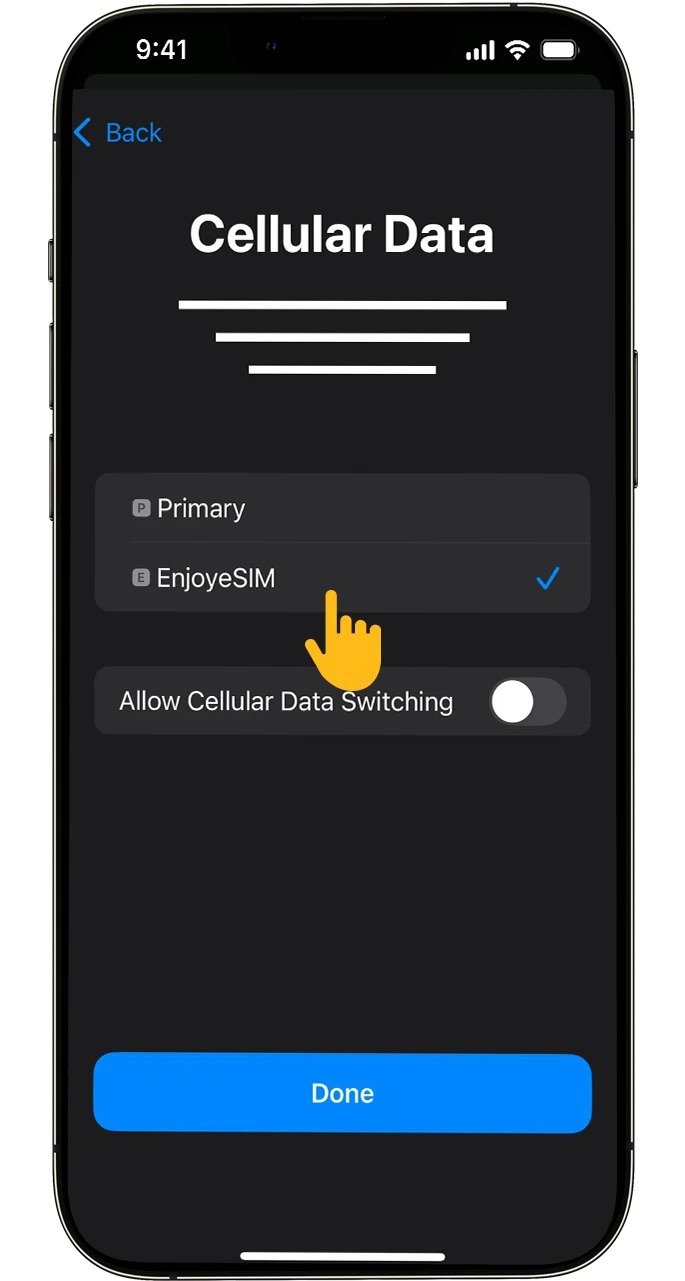
7
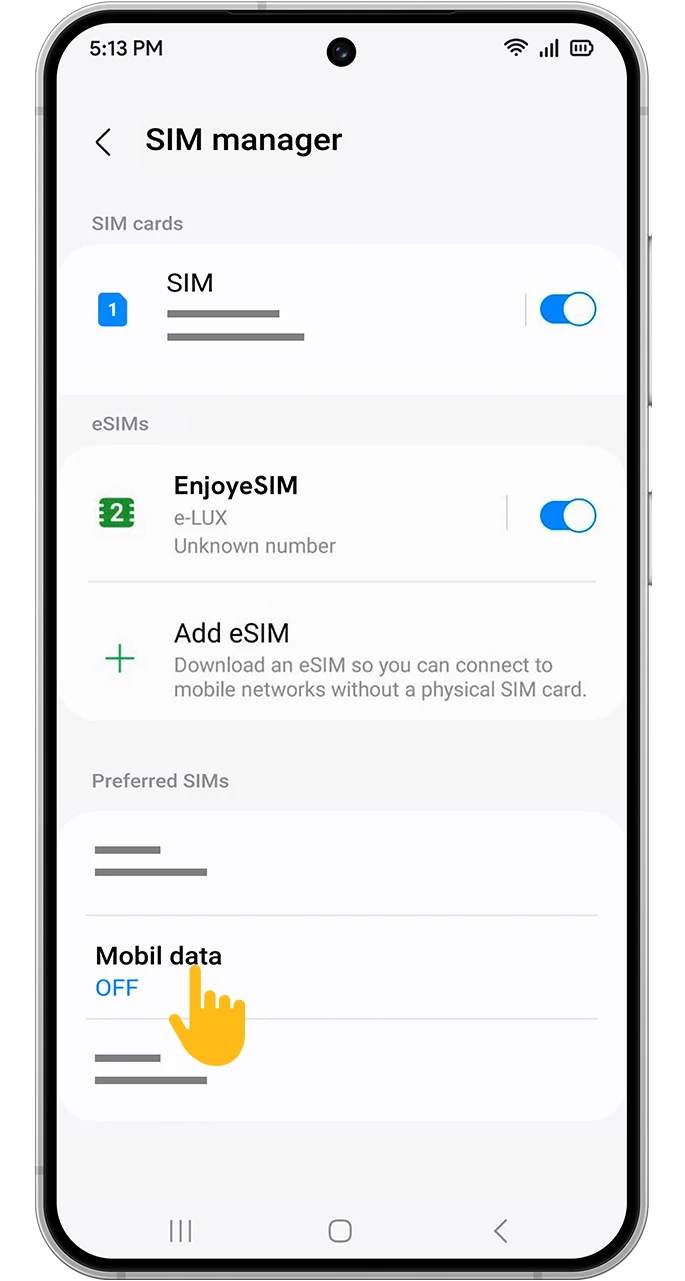
Select Your Customized Plan In The “Cellular Data” Step.
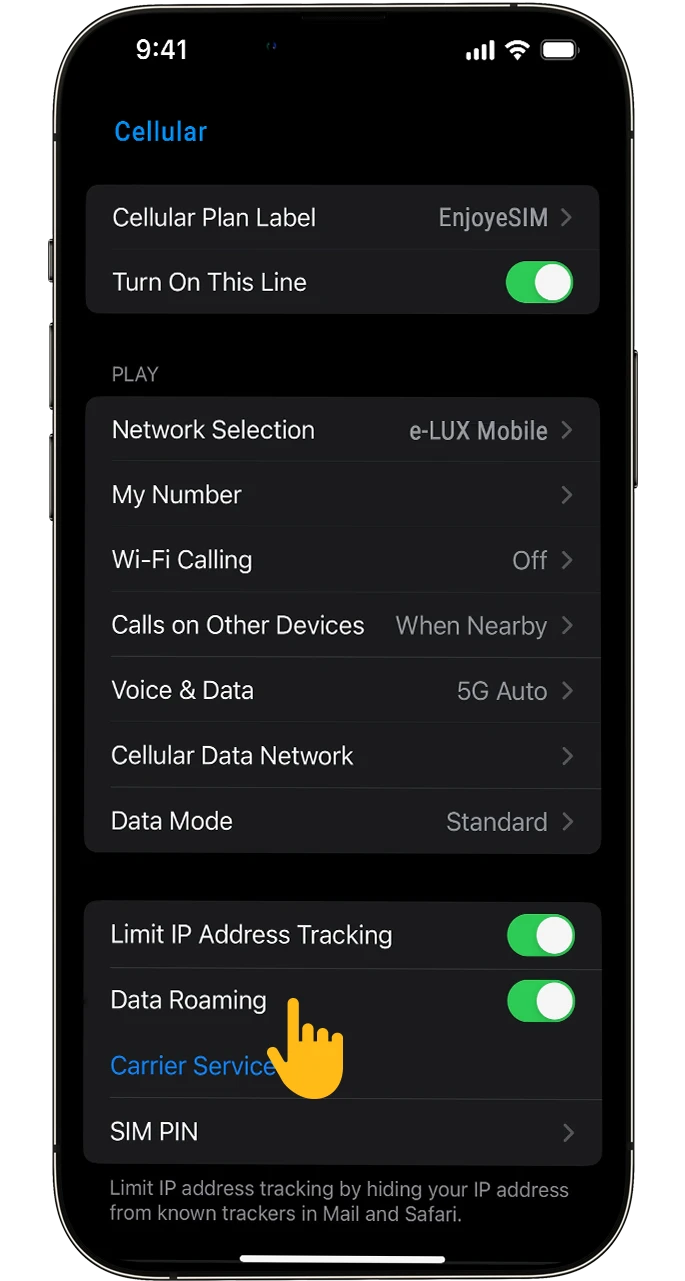
8
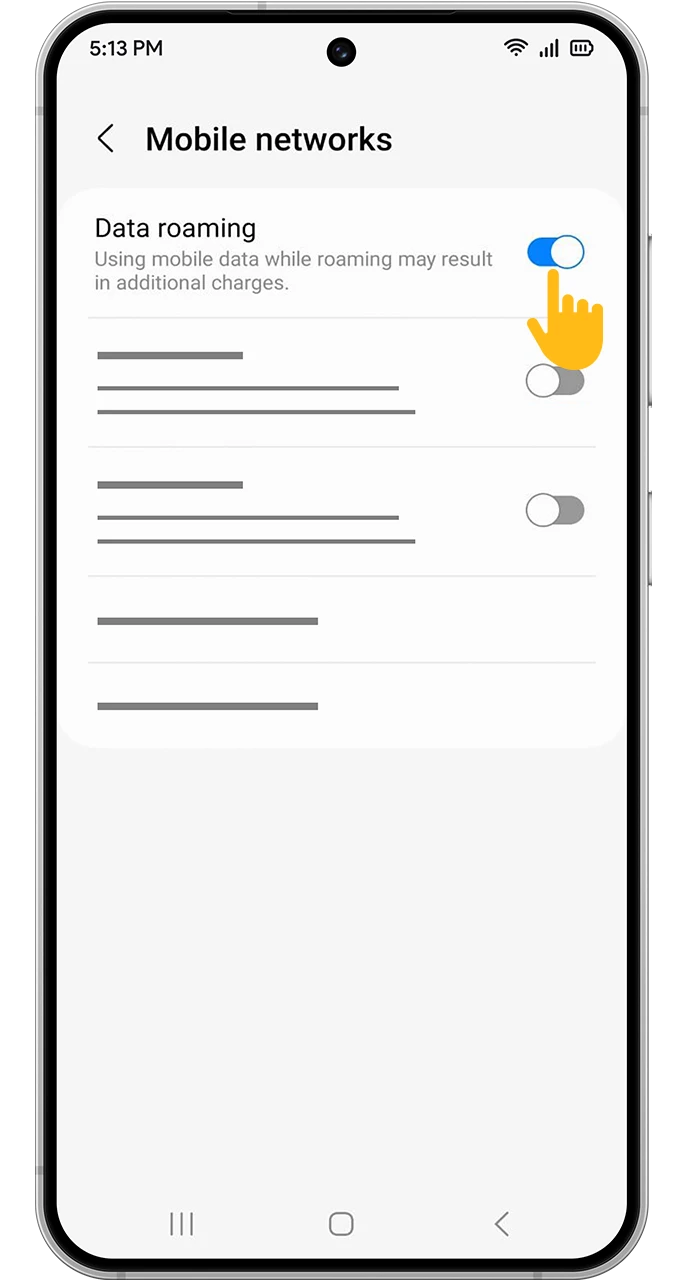
Enable ”Data Roaming” In Your Customized Plan.
Download Enjoy eSIM and start enjoying the world of eSIM!

Instantly Enjoy reliable, prepaid mobile data. No contracts, no hidden fees, and no roaming fees.

Download Enjoy eSIM and start enjoying the world of eSIM