












Pakistan eSIM | Connect Seamlessly Across the Land of the Pure
From the vibrant bazaars of Lahore and the majestic peaks of the Karakoram Range to the historic ruins of Mohenjo-daro and the bustling streets of Karachi, a reliable mobile internet connection is crucial for exploring Pakistan.
Avoid the hassle of finding local SIM cards and stay connected instantly with a fully digital solution. Enjoy eSIM provides immediate, passport-free activation that works the moment you arrive in Pakistan. With over 100,000 global travelers relying on our infrastructure, you can enjoy high-speed internet across the country.
Pakistan eSIM Quick Overview
- Nationwide coverage with leading networks like Jazz, Zong, Telenor, and Ufone, offering 4G LTE in major urban centers and tourist destinations.
- Skip the queues – purchase online and receive instant digital delivery.
- A data-focused solution that keeps your WhatsApp, banking apps, and existing number active.
- 24/7 English support and transparent pricing with no hidden fees.
Pakistan eSIM Technical Features and Network Coverage
Pakistan has a rapidly developing mobile network infrastructure, providing good connectivity in its major cities and tourist areas. Enjoy eSIM partners with top operators to ensure reliable service from the northern mountains to the southern coast.
Our service typically utilizes networks such as Jazz and Zong, offering robust 4G LTE coverage in cities like Lahore, Islamabad, Karachi, and Peshawar, as well as popular tourist spots. While coverage in remote northern areas like Gilgit-Baltistan may vary, you can expect dependable connectivity for essential communication and navigation.
Key Technical Advantages
- High-Speed Data: Experience fast internet for social media, video calls, and uploading your travel adventures.
- Extensive Coverage: Stay connected in major cities, historical sites, and popular trekking routes.
- Hotspot Capability: Easily share your internet connection with travel companions or other devices.
- Hassle-Free Activation: Instant digital setup without the need for passport registration or visiting physical stores.
- Secure Connection: Use a private and encrypted mobile network, avoiding the risks of public Wi-Fi.
Pre-Purchase Checklist
- Device Compatibility: Confirm your phone supports eSIM by visiting our eSIM compatible devices page.
- Unlocked Phone: Ensure your device is unlocked and capable of using SIMs from different carriers.
- Setup Timing: It's best to install your eSIM while you have access to Wi-Fi, either before your trip or upon arrival.
- Data Needs: Select a data package that aligns with your anticipated usage for navigation, communication, and social media.
How to Set Up Your Pakistan eSIM (Step‑by‑Step Guide)
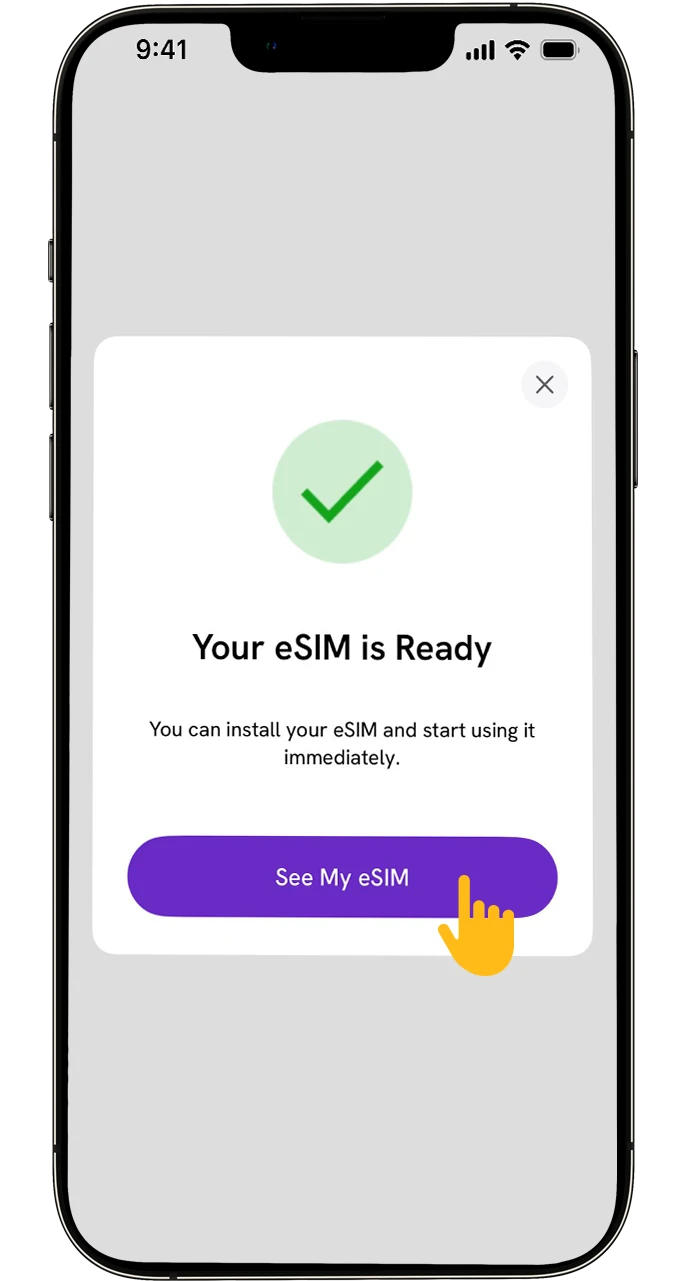
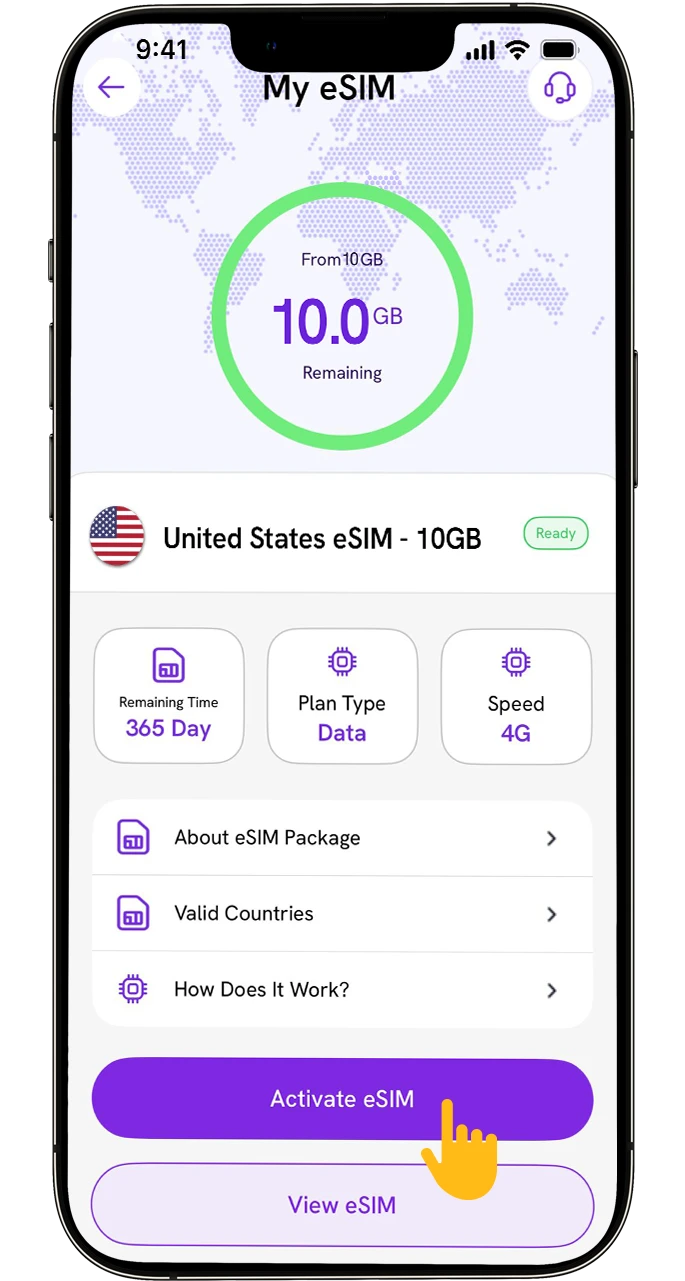
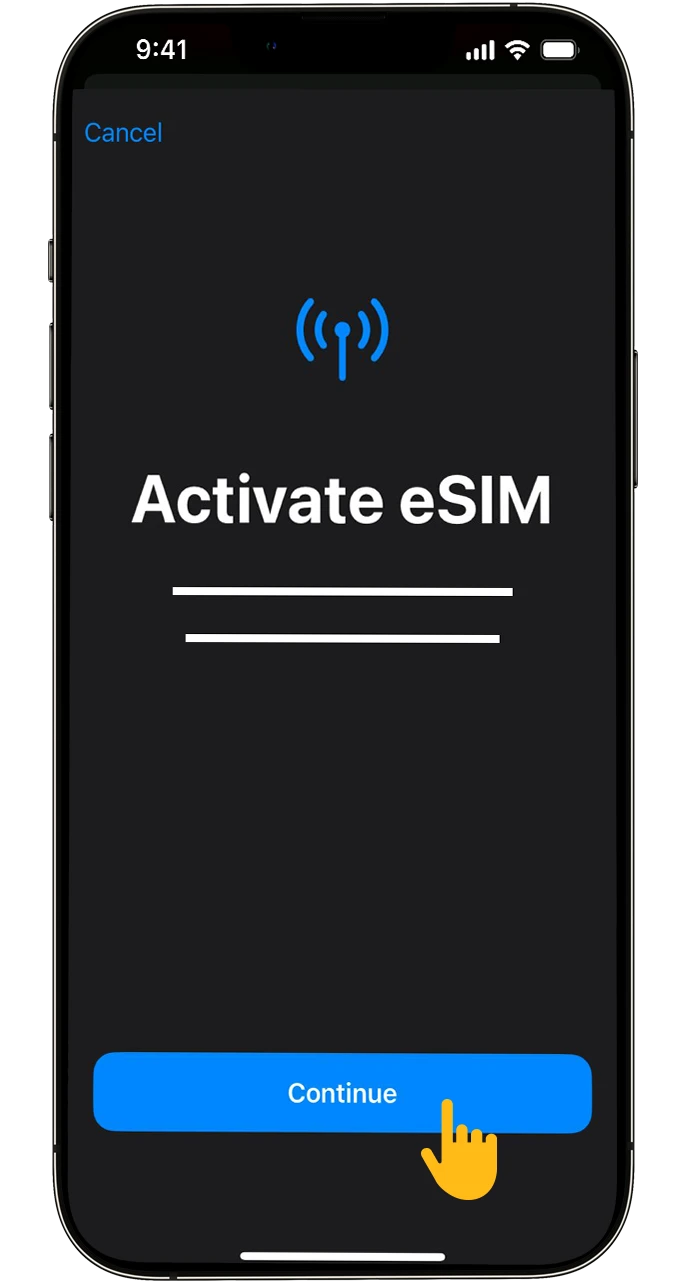
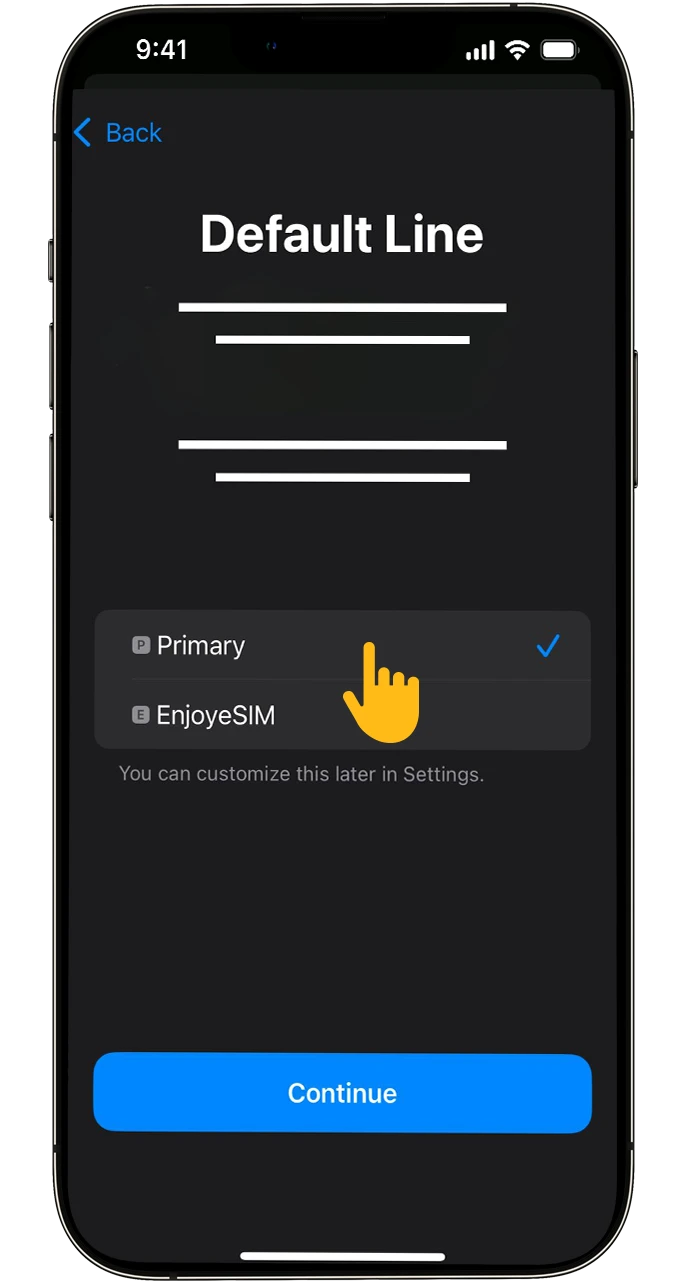
The Pakistan eSIM installation process is entirely digital and takes only a few minutes.
Method 1: QR Code Setup (Recommended)
- Purchase Your Plan: Visit the Pakistan eSIM page to select a suitable data package for your travels.
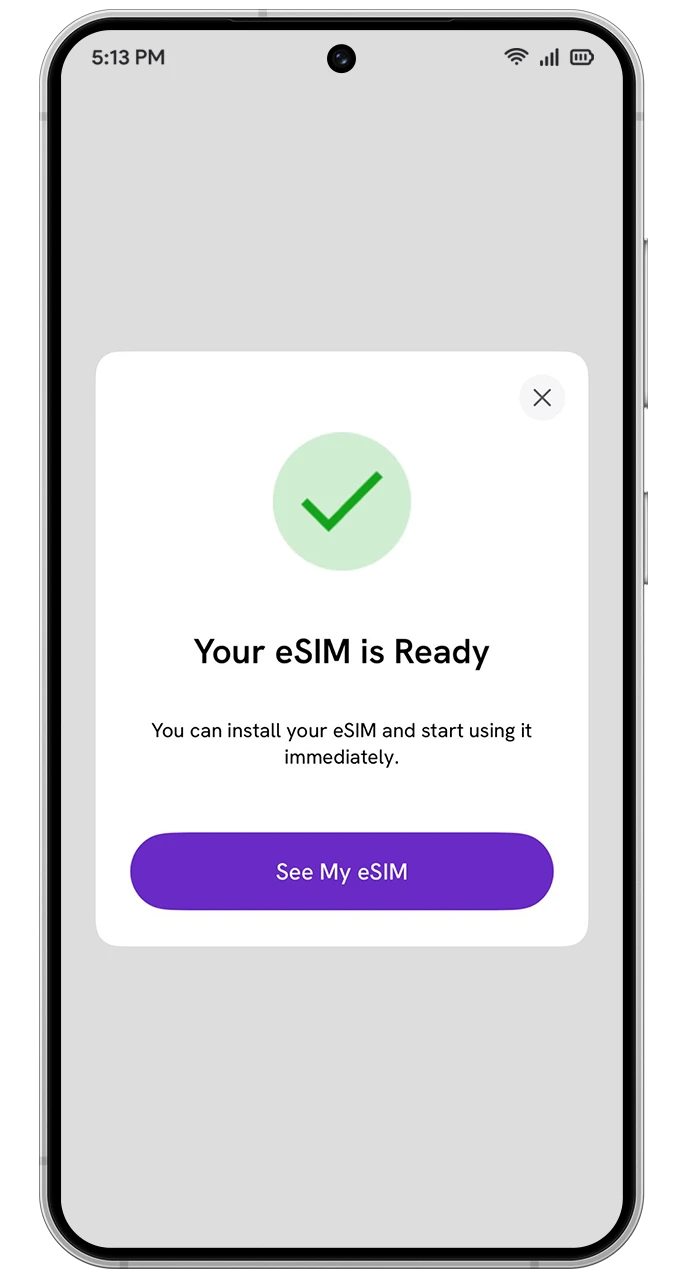
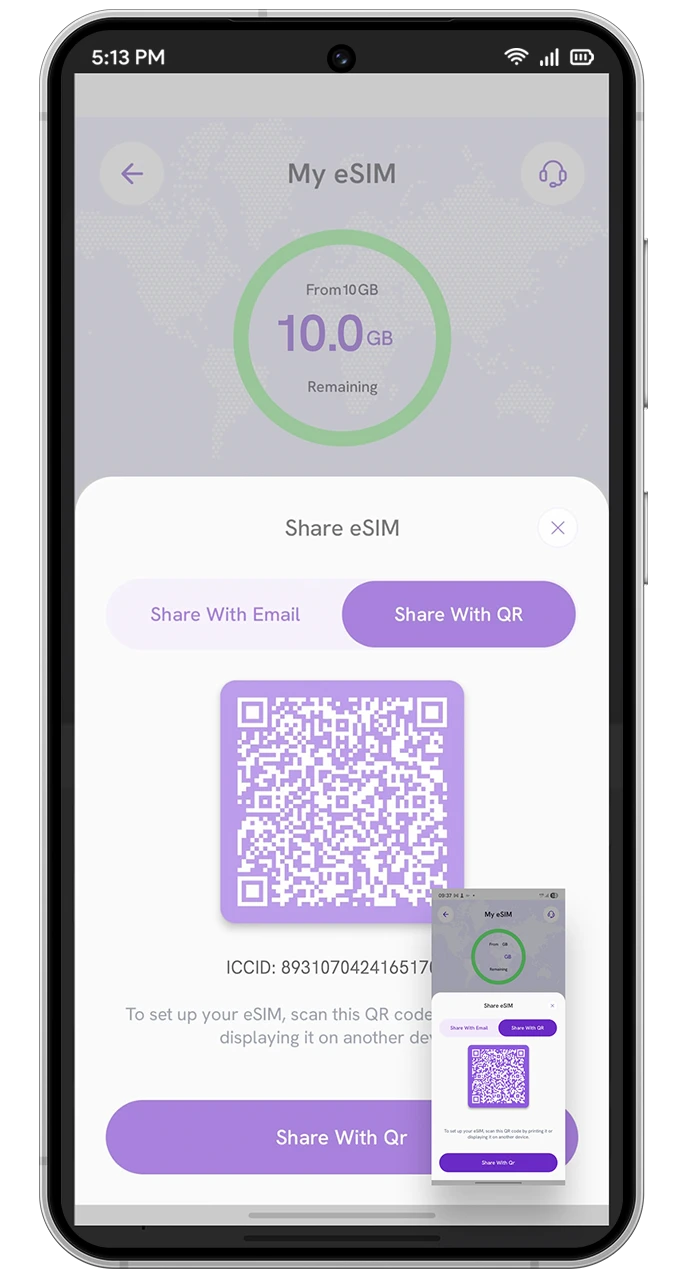
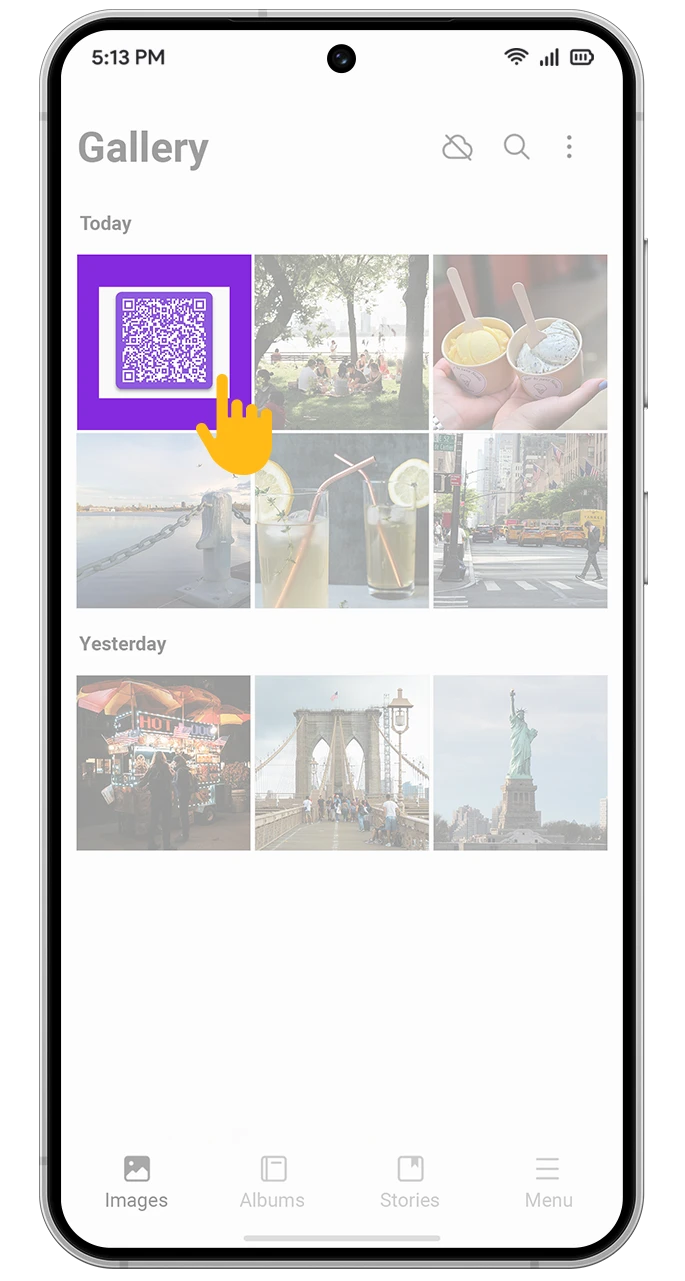
- Receive QR Code: A unique QR code will be sent to your email immediately after purchase.
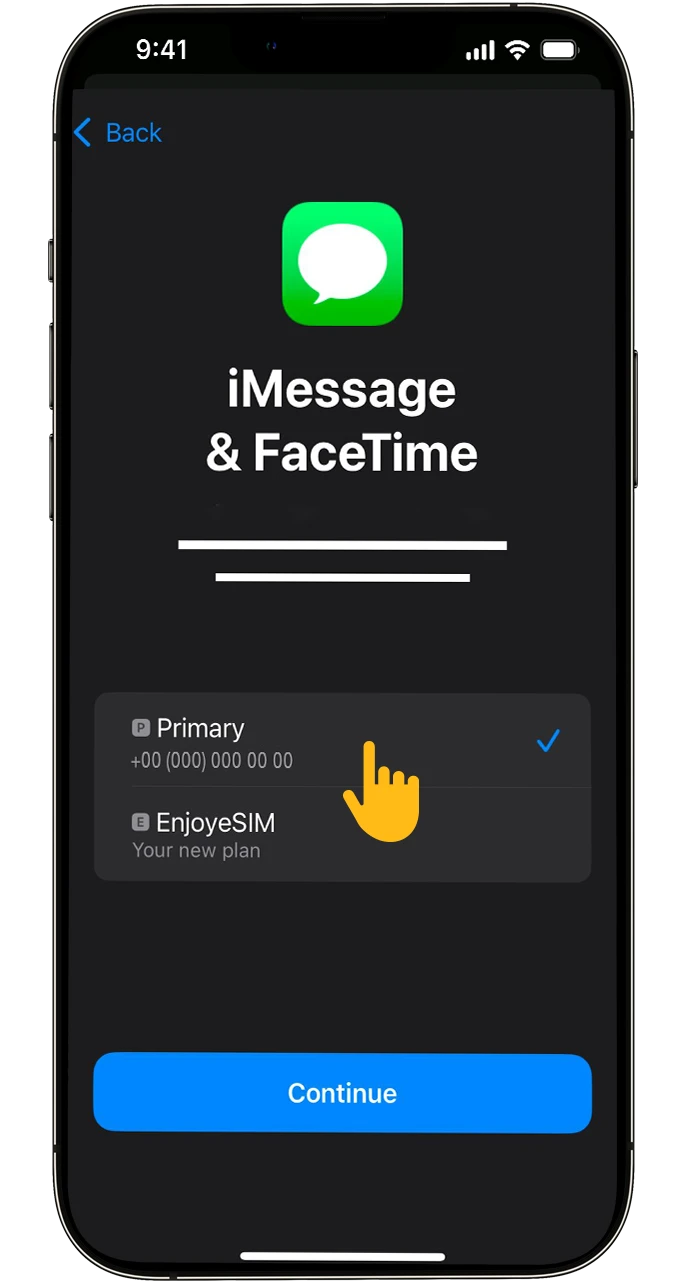
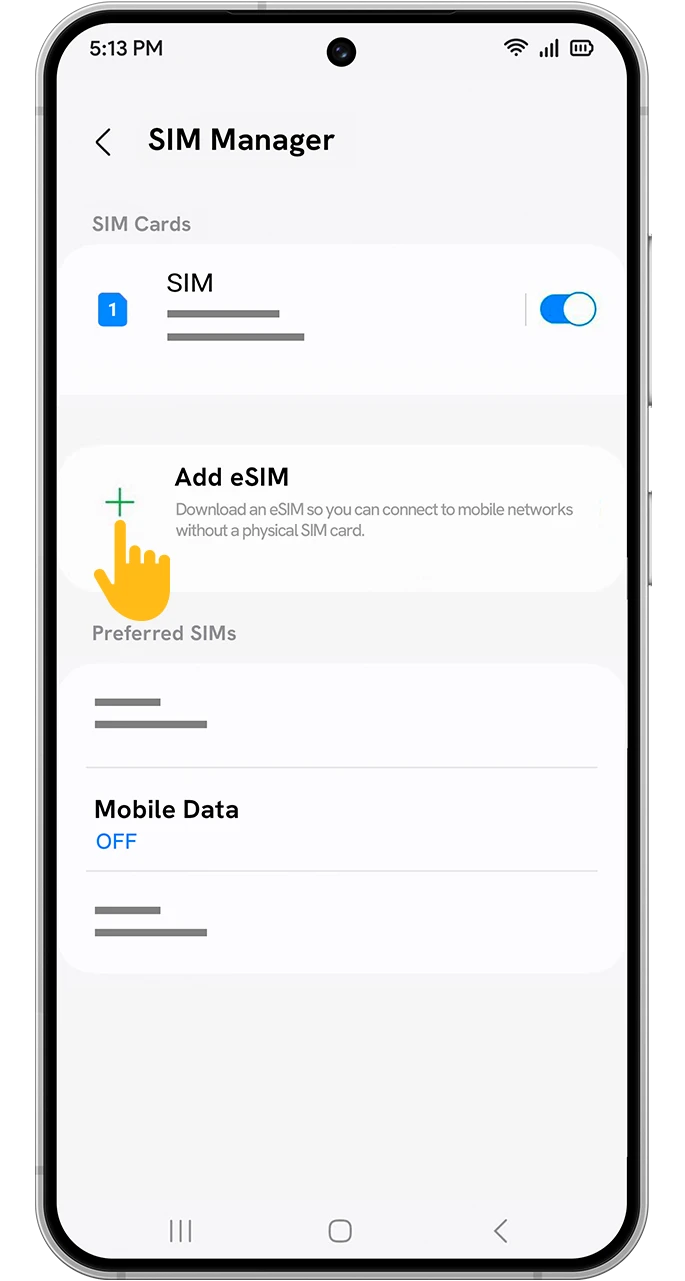
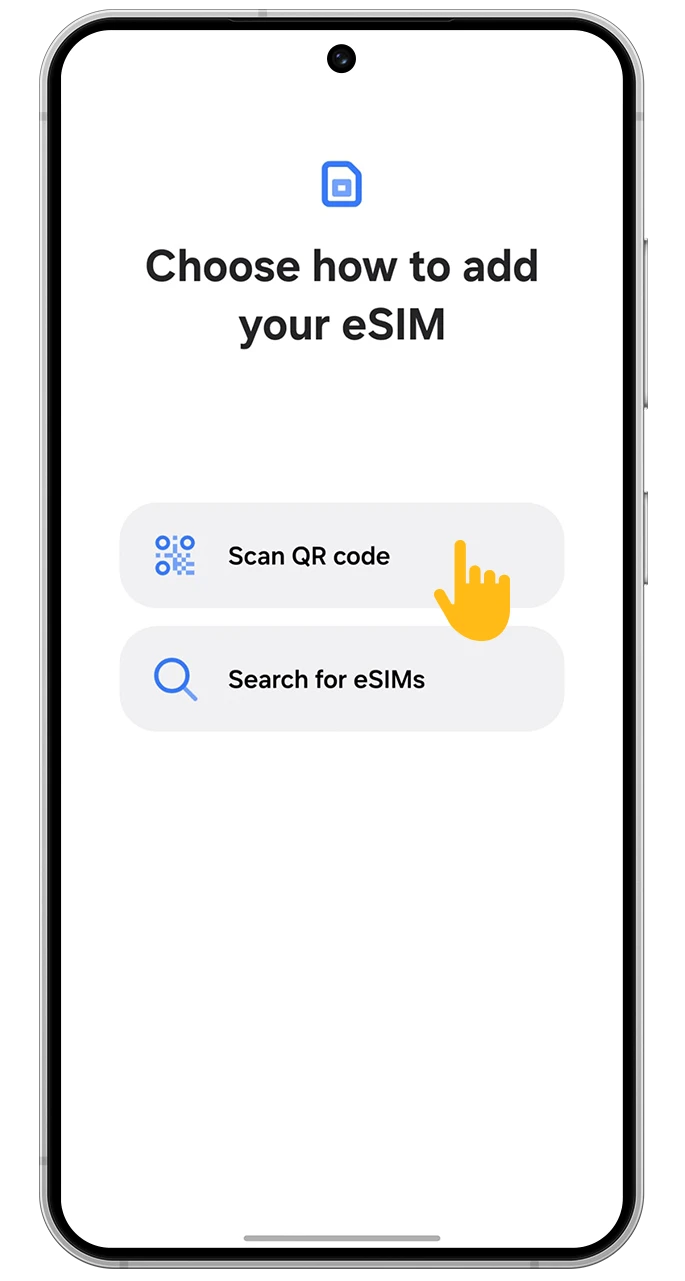
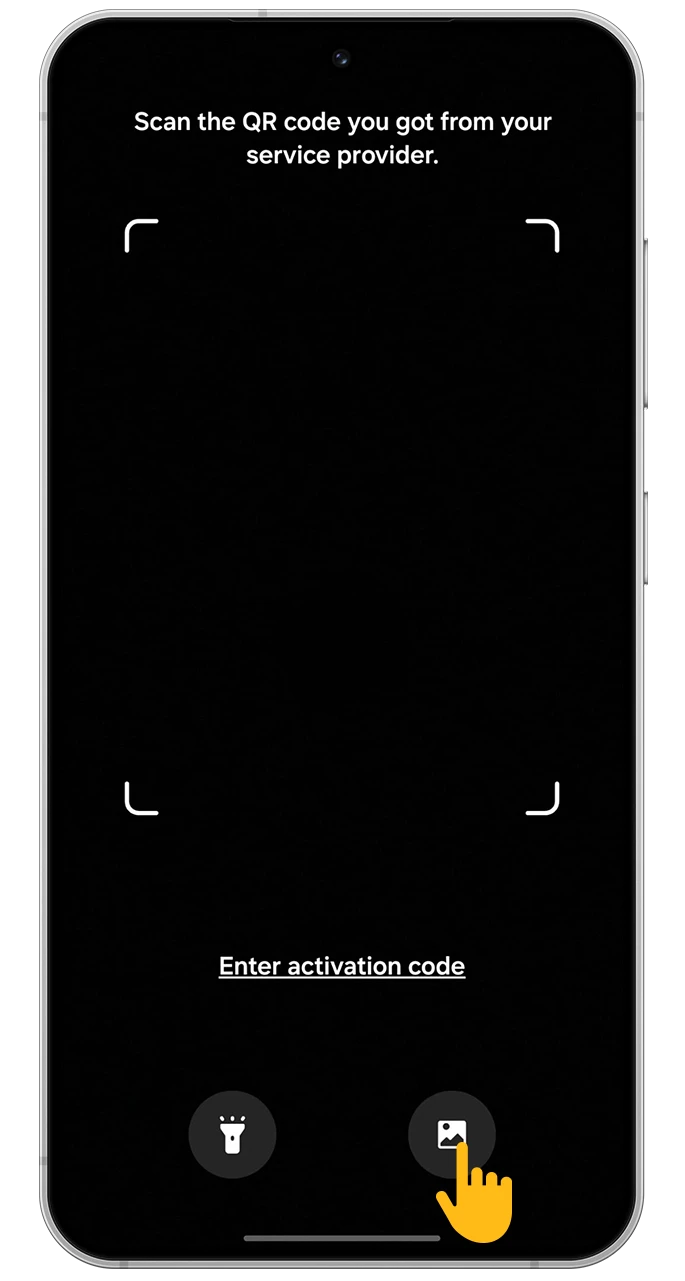
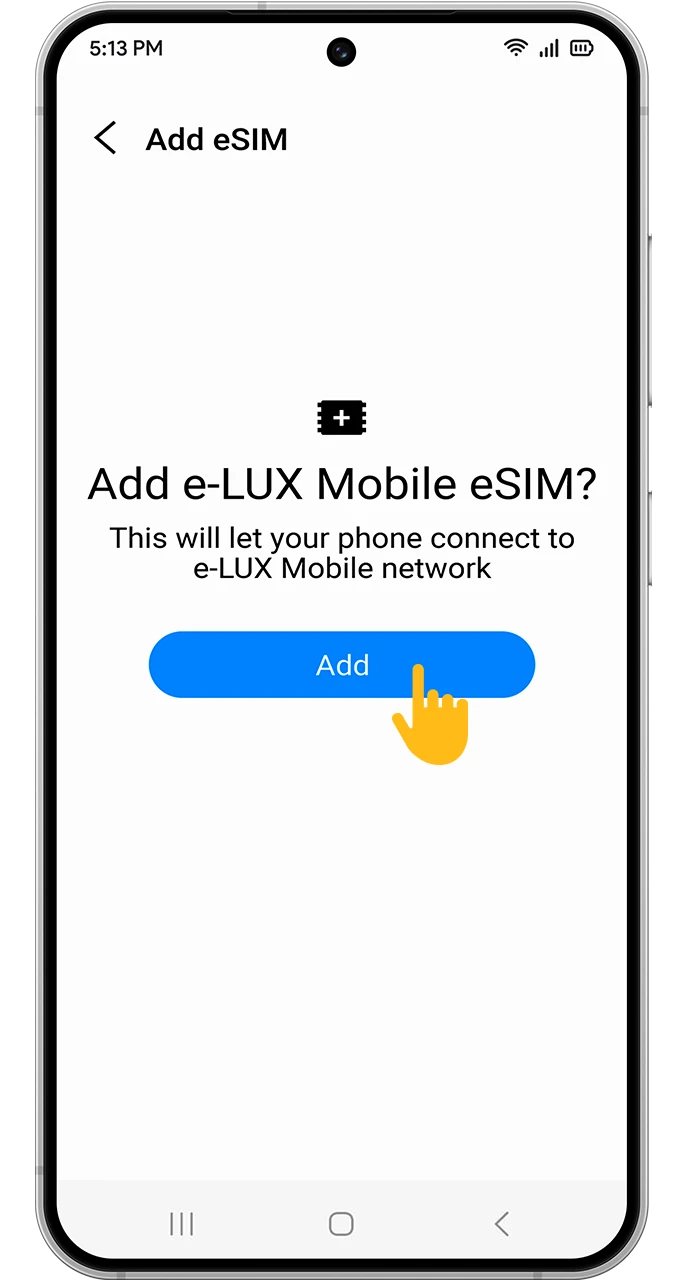
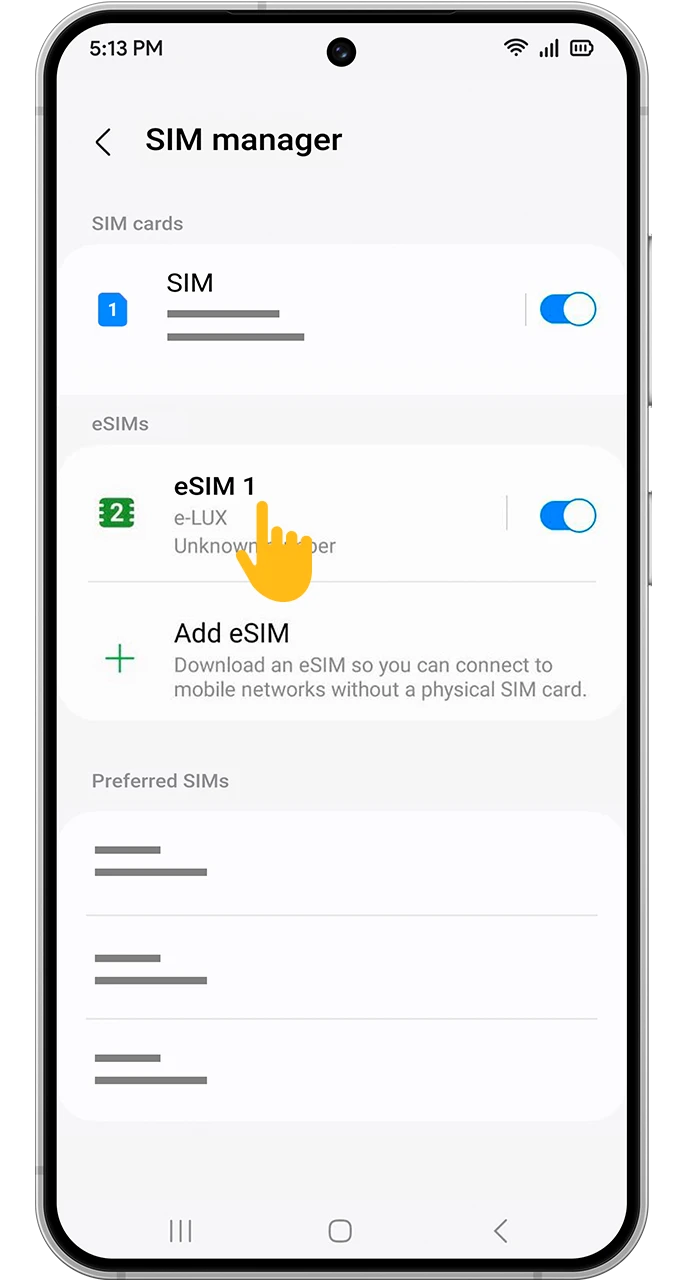
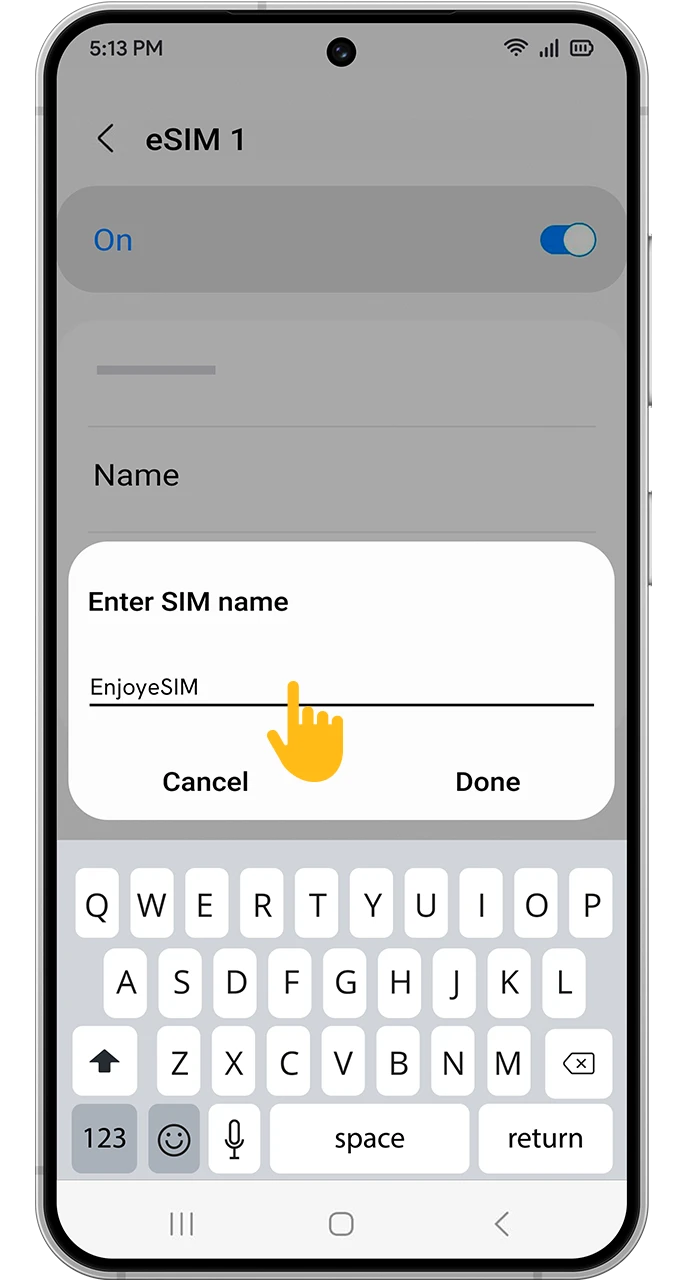
- Install eSIM: Navigate to your phone’s “Mobile Data” or “Cellular” settings, choose “Add eSIM,” and scan the QR code.
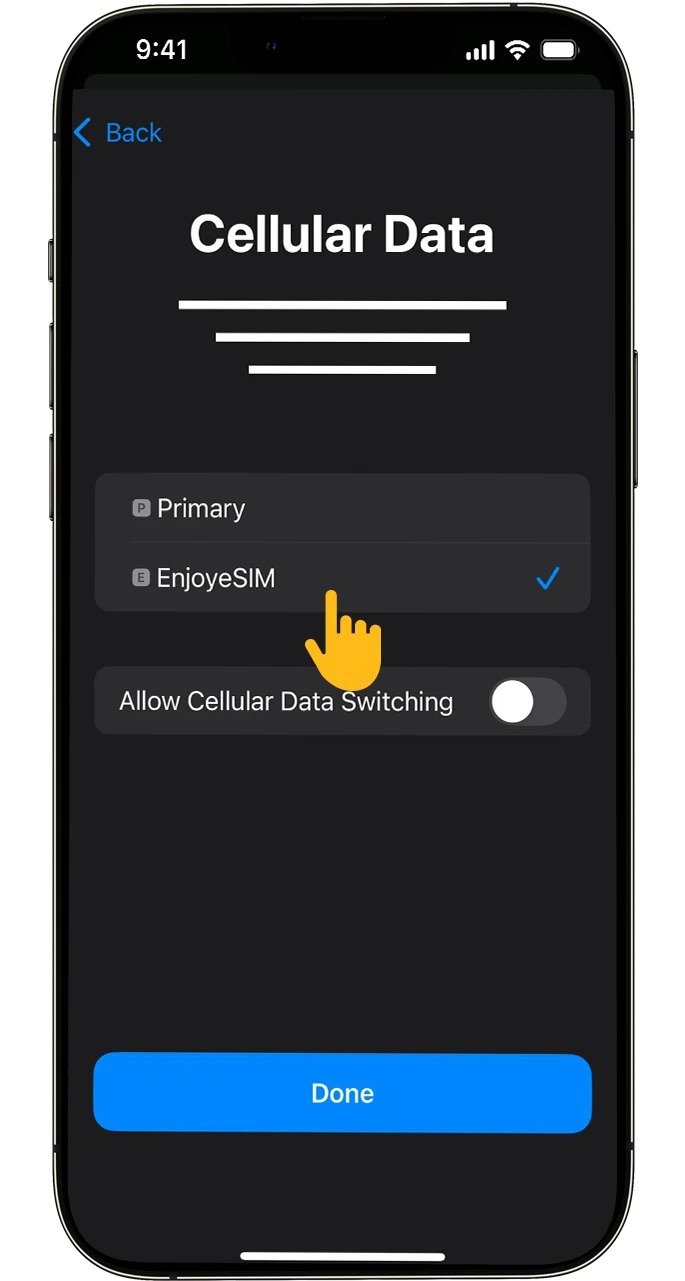
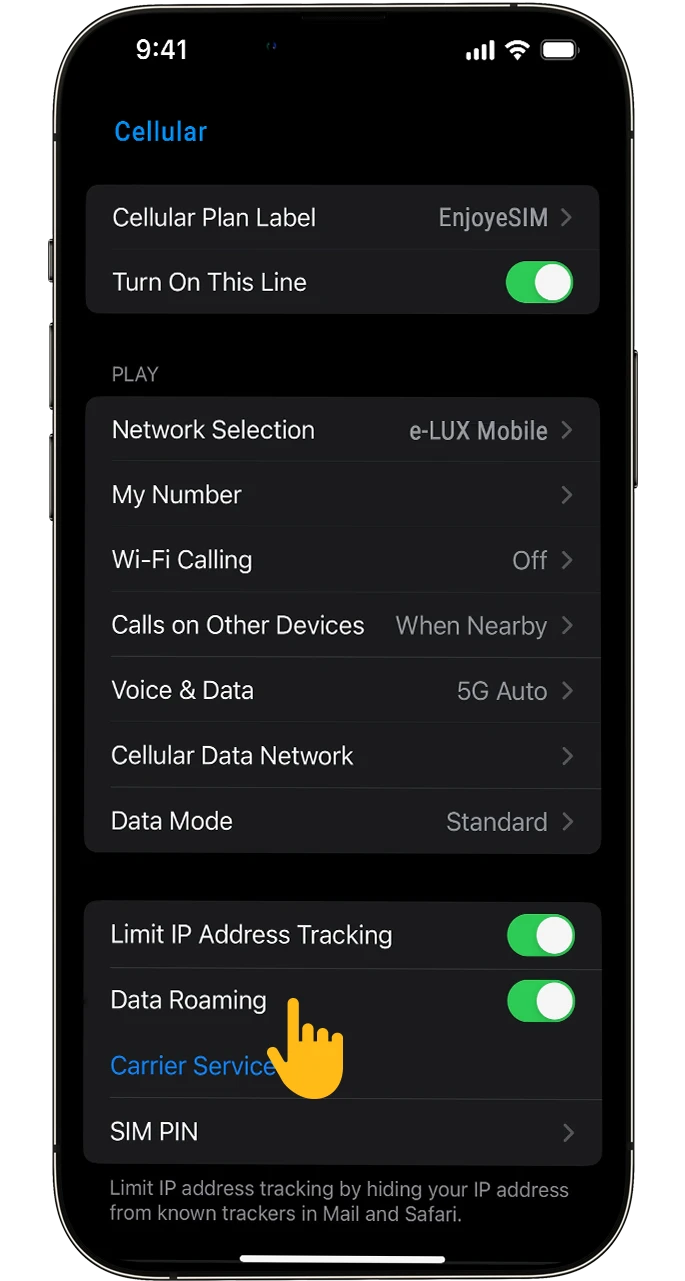
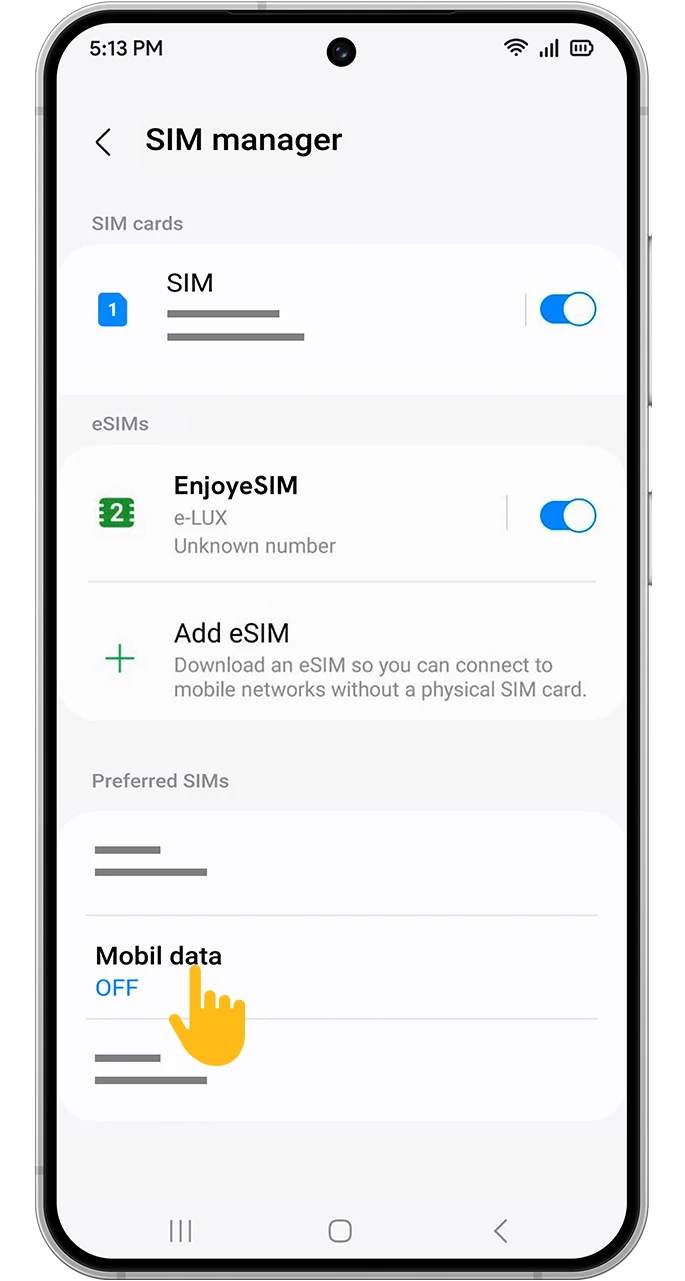
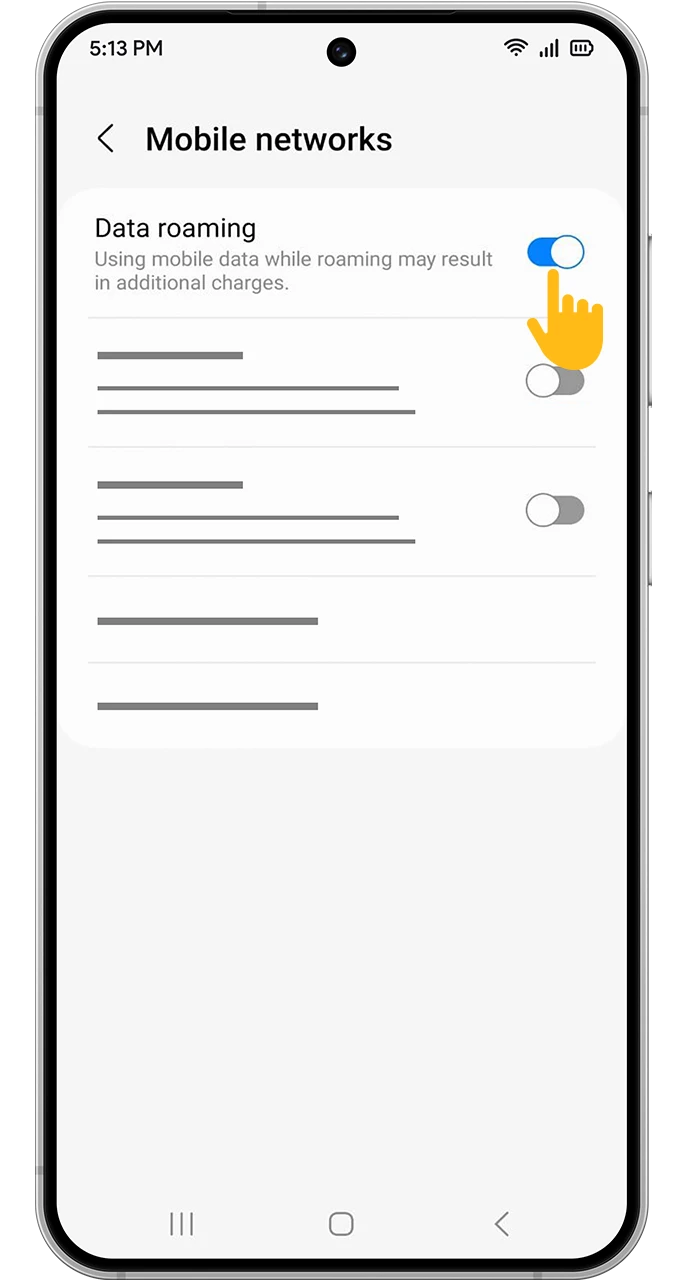
- Activate on Arrival: Once you land in Pakistan, enable data roaming on your eSIM and designate it as your primary data line.
Method 2: Manual Setup
If you encounter issues scanning the QR code, you can manually enter the SM‑DP+ address and activation code provided in your email into your eSIM settings.
Who is the Pakistan eSIM Ideal For?
- Cultural Explorers: Travelers visiting historical sites like Lahore Fort and Badshahi Mosque who need reliable navigation and information access.
- Adventure Seekers: Those planning trips to the northern areas like Hunza or Skardu, requiring connectivity for safety and sharing their stunning views.
- Business Travelers: Professionals needing constant connection for emails, calls, and meetings in cities like Karachi and Islamabad.
- Budget Travelers: Individuals looking to avoid expensive roaming charges and manage their communication costs effectively.
Why Choose Enjoy eSIM for Your Pakistan Trip?
- Cost-Effective: Get the data you need without the high price of traditional roaming.
- Instant Connectivity: Be online the moment you arrive, eliminating the search for Wi-Fi or physical SIMs.
- Security and Convenience: No physical SIM card or passport details required for setup.
- Reliable Support: 24/7 assistance in English to resolve any issues promptly.
Enhance Your Pakistan Journey with Internet Connectivity
- Travel & Navigation: Use Google Maps to navigate through busy city streets or find routes to remote mountain villages.
- Discover Local Culture: Research historical sites, find authentic restaurants, and read reviews online.
- Stay Connected: Effortlessly video call loved ones back home or share your experiences on social media.
- Essential Services: Access ride-sharing apps, book accommodations, and use translation services.
Essential Apps for Exploring Pakistan
Complement your Enjoy eSIM with these useful apps:
- Google Maps: For navigation and exploring points of interest.
- Careem / Uber: Local ride-sharing services for easy transportation.
- WhatsApp: For messaging and calls.
- Google Translate: To overcome language barriers.
- TripAdvisor / Local Guides: Discover attractions, restaurants, and get recommendations.
Frequently Asked Questions about Pakistan eSIM
Can I keep my primary phone number active?
Yes, your original phone number remains active for calls and SMS (like banking verification) as long as your physical SIM card is in your device. Your data will be routed through the Enjoy eSIM.Is internet available at Islamabad or Lahore airports?
Airport Wi-Fi can be unreliable and slow. With an Enjoy eSIM, you get instant, secure, and fast internet access as soon as you land.Can I use my Pakistan eSIM as a hotspot?
Yes, most devices with eSIM support allow you to share your internet connection with other devices, such as laptops or tablets.What happens if I run out of data?
If your data allowance is depleted, you can easily purchase another data package from the Pakistan eSIM page to renew your service.Connect to Pakistan Digitally Today
Ditch the complexity of local SIM cards and expensive roaming fees. Enjoy seamless, high-speed internet across Pakistan with Enjoy eSIM, from the bustling cities to the serene mountains.
Instant Digital Delivery | 24/7 English Support | Affordable Data Plans
Explore Pakistan eSIM Packages